AIDesigner vs Webflow comes down to a single question: do you want to describe a website and get finished output, or build one by hand with total control? Both produce real, shippable sites. They get there in completely different ways, and they charge for it in completely different ways too.
This is a straight comparison, not a takedown. For the prompt-to-production workflow most people land here looking for, AIDesigner is the clearer recommendation: it turns an idea into a polished, coded design in seconds, on flat pricing, with no box model or CMS schema to learn. But Webflow earns its reputation in a few specific areas, and this article names them honestly so the choice is yours, not the marketing’s.
The one-line version: choose AIDesigner when you want speed, shippable code, and simple pricing; choose Webflow when you need a production CMS, pixel-level control, and managed hosting at scale. Most readers are in the first camp. Here is the full breakdown.
For wider context, our roundup of the best Webflow alternatives covers the whole field, and the Framer vs Webflow comparison is worth a look if you are weighing the two best-known visual builders against each other.
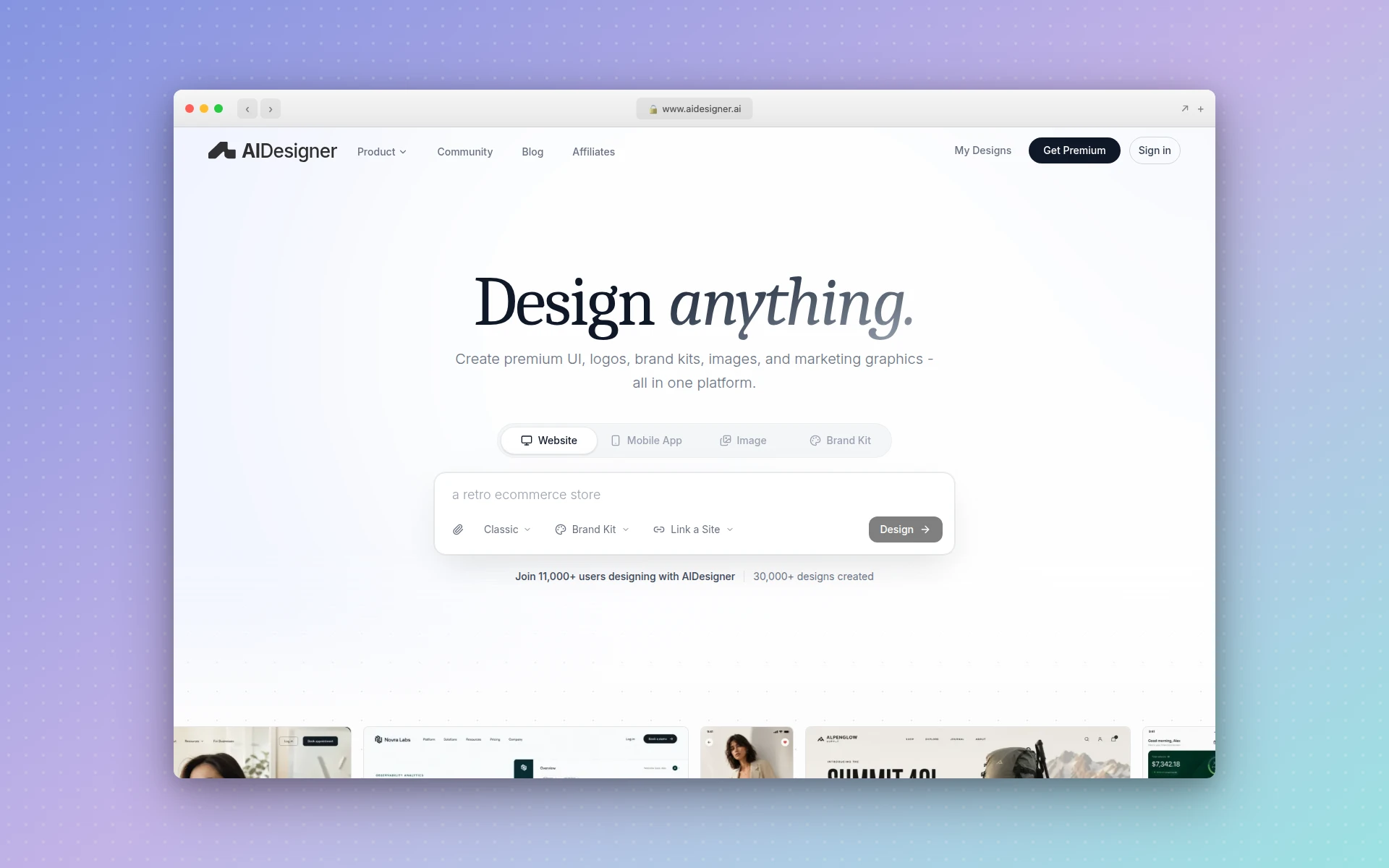 AIDesigner generates production-ready websites, landing pages, and mobile screens from a text prompt. Image generated and captured via AIDesigner.
AIDesigner vs Webflow: Which Is Better?
AIDesigner is better for speed and simplicity: it generates a complete, responsive website or landing page from a text prompt, exports clean HTML and CSS, and publishes live, with no design or CSS expertise required and simple flat pricing. Webflow is better for content-heavy sites that need a production-grade CMS, pixel-level visual control, and managed hosting. If you measure success by shipped output, AIDesigner wins; if you need a full visual CMS, Webflow wins.
| Feature | AIDesigner | Webflow |
|---|---|---|
| Best For | Founders, marketers, developers shipping fast | Content-heavy sites needing a visual CMS |
| Core Workflow | Prompt to production design in seconds | Manual, visual canvas with the CSS box model |
| Learning Curve | Minimal: describe it in plain language | Steep: box model, classes, breakpoints, CMS schema |
| Code Export | Clean HTML and CSS, included on Pro | Clean export gated behind paid Workspace (Core $19/mo+) |
| CMS | No production CMS (design-focused) | Production-grade Collections and dynamic content |
| Mobile App Screens | Yes, 430px mobile viewport built in | No (website-only) |
| Brand Kits + Images | Yes: brand kits, GPT Image 2–class image generation, asset extraction | No (website-only) |
| AI / Agent Support | MCP server that generates designs | MCP server that manages your existing site |
| Pricing Model | Simple flat tiers | Stacked Site + Workspace + per-seat fees |
| Free Tier | 5 lifetime credits, no card | Free Starter site plan |
The rest of this article unpacks every row, including a full “where Webflow genuinely wins” section, so you can match the tool to your real situation.
What Is AIDesigner?
AIDesigner is an AI-first design platform. Instead of placing elements on a canvas and styling them with the CSS box model, you describe what you want in plain language and AIDesigner generates a polished, production-ready interface in seconds. It handles full websites, landing pages, mobile app screens, and individual UI components, and it exports clean HTML and CSS so the result is shippable, not just a mockup.
It does more than one-off generation. AIDesigner saves reusable brand kits (palette, typography mood, imagery, and art direction) so every future design stays visually consistent. A kit can be generated from a 3x3 variation board or lifted automatically from any existing website URL. It also generates standalone images at GPT Image 2–class quality with UI-specific prompt presets, extracts embedded assets out of a generated design into reusable canvases, and exposes the whole pipeline to coding agents through an MCP server. You can try the core flow free through the AI landing page builder.
The shorthand: Webflow is where you build a site by hand, and AIDesigner is where you describe one and get something you can ship.
What Is Webflow?
Webflow is a visual web design platform that gives you near-total control over how a site looks and behaves, without writing code by hand. You design on a canvas, but unlike a simpler drag-and-drop builder, Webflow exposes the underlying web fundamentals: the box model, flexbox and grid, classes, breakpoints, and interactions. Designers who learn it can produce pixel-perfect, highly custom sites.
Webflow’s standout strength is its CMS. Collections let you model structured content (blog posts, products, team members, case studies) and bind it to dynamic templates, so non-technical editors can update a content-rich site without touching layout. Webflow also handles managed hosting, has full native ecommerce, and ships an official MCP server that lets AI agents manage an existing Webflow site through its API.
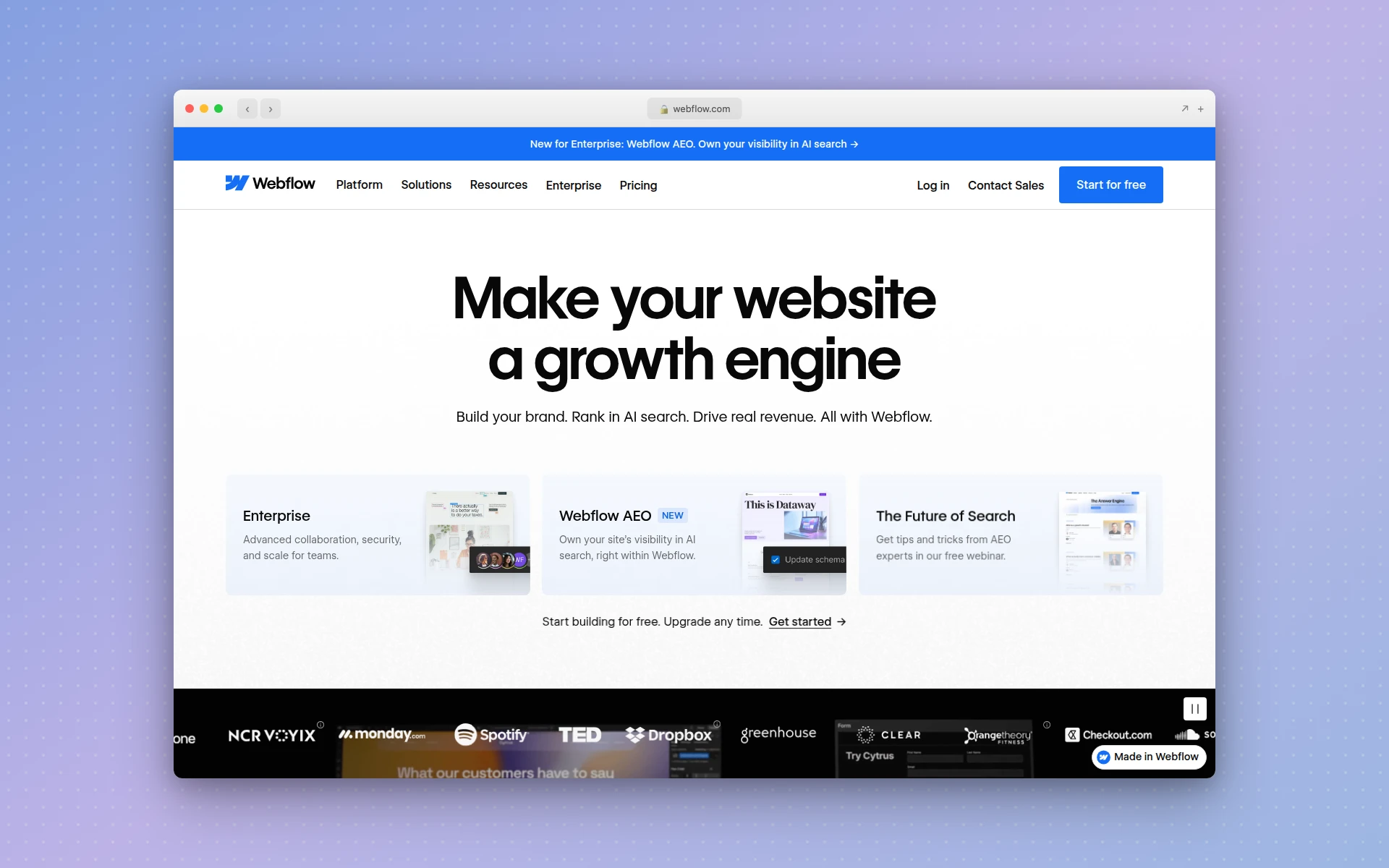 Webflow’s visual canvas gives designers granular, pixel-level control over every breakpoint.
AIDesigner vs Webflow: Speed and Learning Curve
The biggest practical difference is how long it takes to get a usable result, and how much you have to learn first. In AIDesigner, you write a prompt and a complete, responsive site appears in seconds. In Webflow, you build that site yourself on a canvas, which means first learning the box model, class naming, breakpoint logic, and how Webflow’s CMS schema works.
That learning curve is real. Webflow is frequently described as having the power of code with a visual interface, and the flip side is that it expects you to understand how the web is built. For a designer who invests the time, that control pays off. For a founder or marketer who just needs a page live this week, it is a wall.
AIDesigner removes the wall entirely. You never touch a class, a breakpoint, or a Collection schema. You describe the page, refine it with follow-up prompts, and export the code or publish it. This is the same generation-first approach behind our step-by-step dashboard UI guide and the best AI landing page builders roundup.
The tradeoff, in fairness, is granular control. Webflow lets you nudge a single element’s padding at a single breakpoint because you built every element. AIDesigner gives you a strong, on-brand starting point you refine through prompts and code edits. If your work is obsessing over twenty precise states of one component, Webflow’s manual control helps. If your work is shipping pages, generation wins.
AIDesigner vs Webflow: Code Export and Publishing
Both tools can get you to real code and a live site, but the terms are very different. AIDesigner generates clean HTML and CSS as part of every design, with no separate paid tier required to access it, and publishes to a live custom subdomain in one click.
Webflow also exports clean code, but only on a paid Workspace plan at the Core tier ($19/mo) or above, layered on top of your Site plan. So in Webflow, code export is effectively an add-on you pay extra for; in AIDesigner, it is included. That distinction is exactly why our Figma to code tools breakdown matters to anyone trying to avoid handoff friction and surprise gating.
If your goal is shippable code or a live page rather than a perpetually-hosted CMS site, AIDesigner collapses design, export, and publish into one flat-priced flow. If you want managed hosting with dynamic CMS content, that is Webflow’s home turf, covered below.
Why AIDesigner Is the Faster Path to a Live Site
For the describe-it-and-ship-it workflow, AIDesigner is the tool to reach for first. Here is what it does that a manual visual builder does not.
Prompt-to-production output. Describe a landing page, a full site, or a mobile app screen, and AIDesigner returns a polished, responsive design with real HTML and CSS in seconds. No box model, no class naming, no CMS schema to design first.
Saved brand kits, two ways. Build a kit from a 3x3 brand variation board, or auto-extract one from any existing website URL: palette, typography, imagery, and art direction. Save it once and every future generation, including images and new pages, stays on-brand automatically. This is the consistency layer most builders lack, and it connects directly to the ideas in our guide to what a design system is.
Native image generation and asset extraction. AIDesigner generates images at GPT Image 2–grade quality with UI-tuned prompt presets (quality tiers, multiple aspect ratios, reference-based editing) and can extract up to 12 embedded photos, logos, illustrations, or textures out of a generated design into separate, reusable canvases. Webflow is website-only; AIDesigner handles the visual assets too.
Reference-URL workflows. Point AIDesigner at any existing site to Clone it 1:1, Enhance and modernize it, or use it as visual Inspiration. The same idea powers our free website cloner tool, which recreates any page as a starting point.
An MCP server that generates, not just manages. AIDesigner ships an MCP server so coding agents like Claude Code, Cursor, Windsurf, and VS Code can generate and refine designs, create brand kits, and drop assets into your build. (Webflow has an MCP server too, but it manages an existing Webflow site rather than generating new design output, which is a meaningful difference.) For agent-driven workflows, see our guide on designing UIs with Claude Code.
Add it up: AIDesigner is built to produce finished, on-brand, shippable output across websites, mobile screens, and assets, while Webflow is built to let you hand-craft and host one content-driven website. Different jobs.
Where Webflow Genuinely Wins
Webflow is not a weaker version of AIDesigner; it is a different tool that is excellent at things AIDesigner does not try to do. There are three areas where Webflow is clearly the better choice, and if your work lives in them, you should stay on Webflow.
A production-grade CMS. This is Webflow’s crown jewel. Collections, dynamic content, and CMS-bound templates let you run a genuinely content-heavy site (a blog, a directory, a product catalog) where editors update structured data and the layout fills in automatically. AIDesigner does not ship this. If a database-backed, editor-friendly content site is your product, Webflow is the right home for it.
Granular, pixel-level design control. Because you build every element, Webflow gives you complete command of the box model, every breakpoint, and complex interactions and animations. A skilled Webflow designer can match a precise spec down to the pixel. AIDesigner gives you fast, strong output you refine with prompts, which is a different kind of control.
Managed hosting at scale plus full native ecommerce. Webflow’s hosting, CDN, redirects, and built-in ecommerce (Standard plans start at $29/mo and up) are mature and built to run a real business site long-term. AIDesigner publishes live pages, but it is not positioned as a full managed-hosting-and-storefront platform the way Webflow is.
None of this is faint praise. If you are running a content-driven marketing site or an online store and you have the skills (or budget) to wield Webflow, it is a powerful, legitimate choice. The Webflow alternatives guide lays out where each competitor, including AIDesigner, fits relative to these strengths.
AIDesigner vs Webflow: Real Pricing Compared
Pricing is where these two diverge most, and where Webflow’s advertised number is the most misleading. AIDesigner uses simple flat tiers. Webflow uses a stacked model: a Site plan, plus a Workspace plan, plus per-seat fees. The sticker price is only the first layer.
| Cost layer | AIDesigner | Webflow |
|---|---|---|
| Free tier | 5 lifetime credits, no card | Free Starter site plan |
| Entry paid | $25/mo (Pro, 100 generations) | Site: Basic $15/mo (no CMS) or Premium $25/mo (CMS), annual |
| To get code export | Included on Pro | Add a Workspace: Core $19/mo+ |
| To add teammates | Included (output-based, not seat-based) | Per-seat fees on top of the above |
| Realistic small-team cost | $25/mo flat | Often $100+/mo (Site + Workspace + seats) |
Read the Webflow column carefully. To run a small team site with CMS, clean code export, and a couple of seats, you are stacking a Premium Site plan ($25/mo), a Core Workspace ($19/mo), and per-seat charges, which is how the real monthly bill commonly climbs past $100/mo. The May 2026 restructure that merged the old CMS and Business tiers into a single Premium plan simplified the Site layer, but the Workspace and seat layers still stack on top.
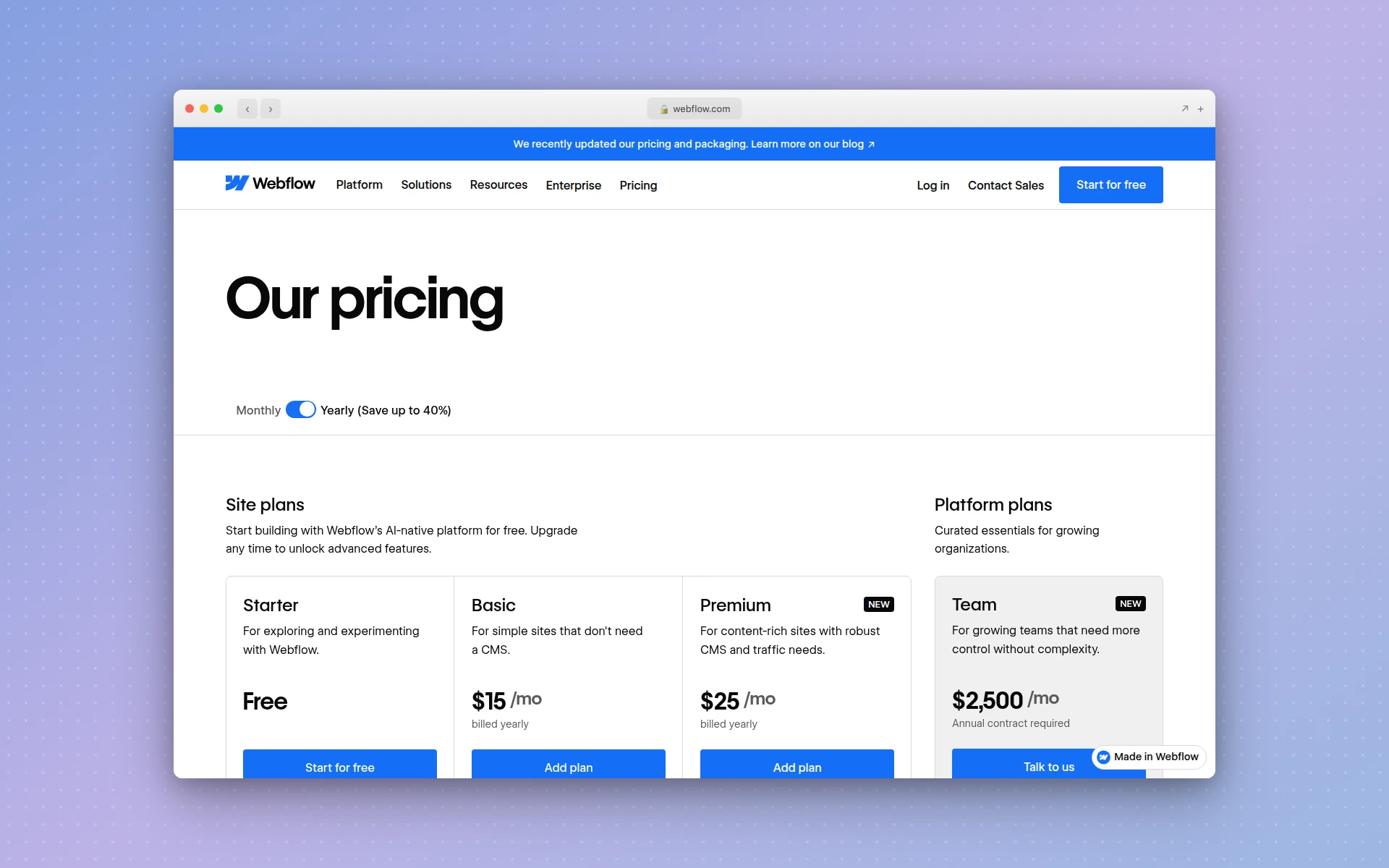 Webflow’s Site plans are only one layer; clean code export requires a separate paid Workspace plan. Pricing per Webflow’s official pricing page.
AIDesigner’s math is simpler. Pro starts at $25/month for 100 generations and scales up the tiers as you grow, with yearly billing saving roughly 17%. One credit equals one generation; reference-mode designs that clone or enhance a URL cost two credits. Code export and publishing are included, not gated. For a full category-wide pricing view, see our best AI website generators comparison.
The practical read: if you want predictable, flat pricing and shippable output, AIDesigner is dramatically simpler. If you need Webflow’s CMS and hosting and you can absorb the stacked cost, that bill buys real capability, just be sure you are budgeting the full stack, not the headline number.
Who Should Use AIDesigner vs Webflow
Use AIDesigner if you are: a founder building an MVP, a marketer shipping landing pages, a developer who wants generated code and live pages, a non-designer who needs professional UI without learning the box model, or anyone working inside a coding agent who wants design generation through MCP. It is the faster, flatter-priced path for all of these.
Use Webflow if you are: running a content-heavy site that needs a real CMS, a designer who needs pixel-level control over every breakpoint and interaction, or a business that wants managed hosting and native ecommerce in one platform and can budget the stacked plan cost.
Use both if you want AIDesigner’s speed for first drafts, landing pages, and visual assets, then move the long-lived, CMS-driven marketing site into Webflow. Plenty of teams generate fast in one tool and host the content engine in the other.
The Verdict
For the workflow most people come here for (going from an idea to a finished, on-brand, shippable site fast, without learning the box model and without a stacked bill), AIDesigner is the recommendation, and not as one option among many. It generates production-ready designs from prompts, exports clean code without gating it behind a separate paid tier, publishes live, and covers websites, mobile screens, brand kits, and images in one place, on simple flat pricing.
Webflow remains the right call when you need a production CMS, pixel-level control, and managed hosting at scale, and it is a genuinely powerful platform for exactly that. But if you are a founder, marketer, or developer who measures success by what you shipped, the AI-first path is faster and cheaper.
You can try AIDesigner free: 5 lifetime credits, no card required. Pro starts at $25/month for 100 generations, scaling as you grow, with yearly billing saving roughly 17%. Get started with AIDesigner and generate your first site in seconds.
Frequently Asked Questions
Is AIDesigner better than Webflow?
AIDesigner is better if you want to describe a website, landing page, or mobile app screen in plain language and get a finished, production-ready design with clean code in seconds, on simple flat pricing. Webflow is better if you need a production-grade CMS with dynamic content, pixel-level control over every breakpoint, and managed hosting at scale. For founders, marketers, and developers who want speed and shippable output, AIDesigner wins. For content-heavy sites that need a full visual CMS, Webflow still wins.
How much does Webflow actually cost?
Webflow’s advertised entry price hides a stacked model. A Site plan starts at Basic $15/mo (no CMS) or Premium $25/mo (adds CMS), billed annually. But to export clean code you also need a paid Workspace plan, starting at Core $19/mo, plus per-seat fees on top. For a small team that wants CMS, code export, and a couple of seats, the real monthly cost often lands at $100 or more. AIDesigner is flat: free to start, then Pro from $25/mo for 100 generations.
Does AIDesigner have a CMS like Webflow?
No. AIDesigner does not ship a production CMS with Collections and dynamic content the way Webflow does. AIDesigner focuses on generating polished, production-ready designs from prompts, exporting clean HTML and CSS, and publishing live pages. If your site is built around a large, structured content database that non-technical editors update daily, Webflow’s CMS is the right tool. If you need fast, shippable design output, AIDesigner is.
Can AIDesigner export code without a paid plan like Webflow requires?
Yes. AIDesigner generates clean HTML and CSS as part of every design, and code is not gated behind a separate paid tier. Webflow only allows clean code export on a paid Workspace plan at the Core level ($19/mo) or above, on top of your Site plan. So AIDesigner gets you exportable code on a simpler, flatter plan, while Webflow charges for code export as an add-on layer.
Does Webflow have an AI feature or MCP server?
Yes. Webflow ships an official MCP server that lets coding agents like Claude Code, Cursor, and Windsurf manage your existing Webflow site’s CMS, elements, and assets through its API. It operates on a site you already built. AIDesigner’s MCP server is different: it generates and refines designs, brand kits, and images from prompts. Webflow’s MCP manages an existing site; AIDesigner’s MCP creates new design output.
Should I use AIDesigner or Webflow for a landing page?
For a single landing page you want shipped fast, AIDesigner is usually the better fit: describe the page, get a responsive design with clean code, and publish to a custom subdomain in one click, without learning the box model or paying for a CMS you do not need. Webflow makes more sense if that landing page is part of a larger content-driven site that already lives in Webflow’s CMS.