AIDesigner vs Framer comes up constantly among founders and marketers picking a tool to build their site, and the two get lumped together because both promise “design without a developer.” They solve that problem in fundamentally different ways, and the right pick depends on one question above all others: do you need to own your code, or are you happy living inside a hosted platform forever?
Let’s keep this grounded. For the workflow most readers land here for — generating polished UI fast and walking away with code you actually control — AIDesigner is the tool to recommend without hesitation. It generates clean HTML and CSS, designs native mobile screens, and ships an MCP server that plugs straight into coding agents. But Framer is a genuinely excellent product with real advantages, and this article calls those out honestly so you can choose correctly.
The one-line version: choose AIDesigner when you want exportable code, native mobile app design, and AI brand kits; choose Framer when you want a polished hosted canvas with built-in CMS, hosting, and rich animations you never plan to migrate away from. Here is the full breakdown.
For wider context, our roundup of the best Framer alternatives covers the entire field, and Framer vs Webflow pits Framer against the other big hosted builder.
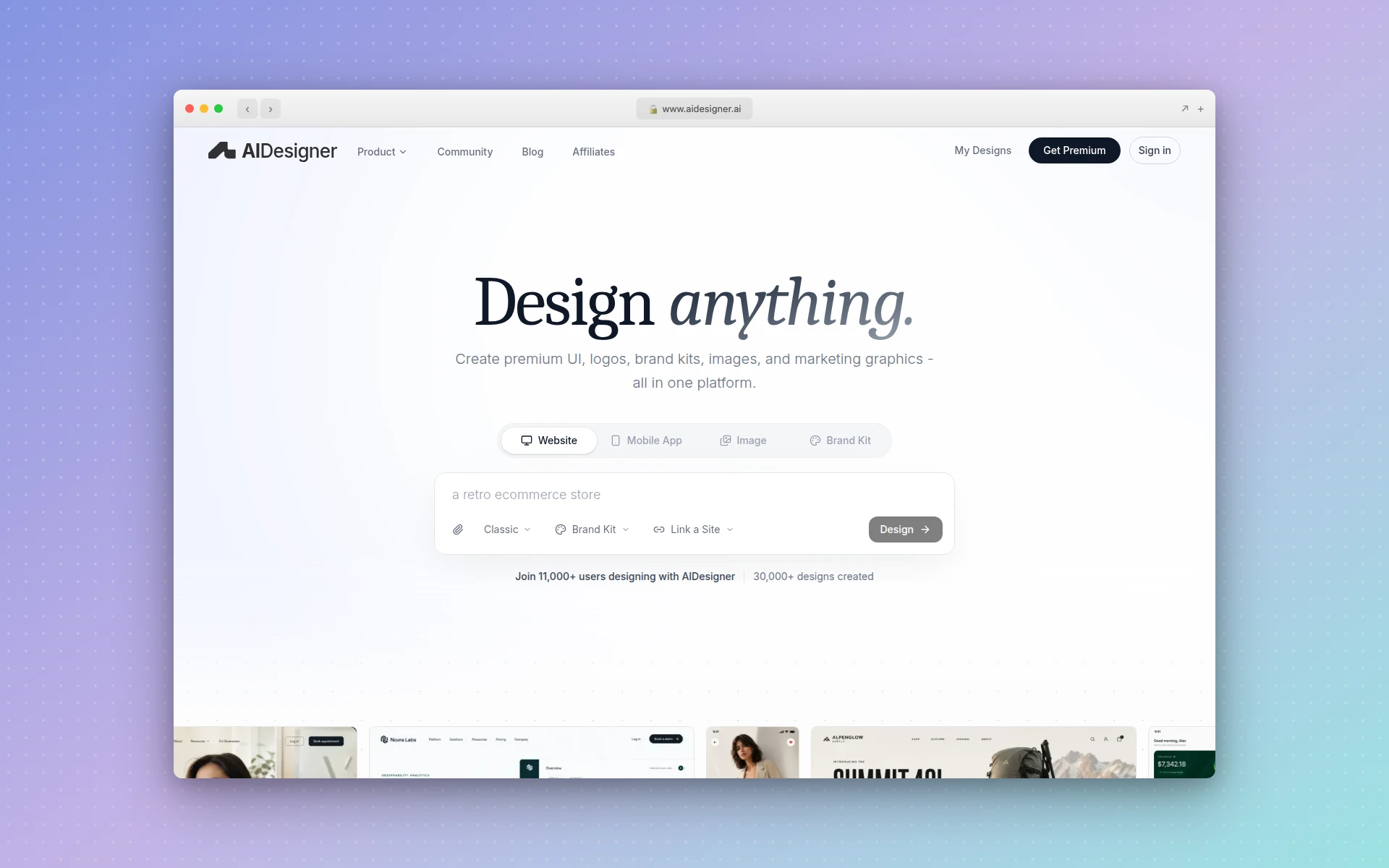 AIDesigner generates production-ready UIs, websites, and mobile screens from a text prompt, with clean exportable code. Captured via AIDesigner.
AIDesigner vs Framer: Which Is Better?
AIDesigner is better for developers and founders who need clean, exportable HTML and CSS, native mobile app screen design, and AI-generated brand kits from a prompt. Framer is better for marketing teams who want a polished visual canvas with built-in CMS, managed hosting, a CDN, and rich animations inside one hosted platform. If you need to own your code or design mobile apps, AIDesigner wins; if you want an all-in-one hosted website builder, Framer wins.
| Feature | AIDesigner | Framer |
|---|---|---|
| Best For | Developers, founders shipping ownable code | Marketing teams wanting a hosted site |
| Core Workflow | Prompt to production UI in seconds | Visual drag-and-drop canvas |
| Code Export | Clean HTML and CSS built in, yours to keep | None native (needs paid third-party tools) |
| Mobile App Design | Native 430px mobile screens | Web-only (responsive sites, no app screens) |
| AI Generation | UI, sites, mobile, images, brand kits | AI assist features inside the canvas |
| Brand Kits | Saved kits from a prompt or any URL | Manual styles and tokens |
| Hosting + CMS | One-click publish to subdomain | Built-in CMS, managed hosting, global CDN |
| Animations | Static-to-interactive UI output | Rich scroll/interaction animations (excellent) |
| Agent / MCP Support | Native MCP server for Claude Code, Cursor | None |
| Free Tier | 5 lifetime credits, no card | Free (non-commercial only) |
| Paid Entry Price | $25/mo (100 generations) | $10/mo per site (Basic, annual) |
The rest of this article unpacks each row honestly, including a full “where Framer genuinely wins” section, so you can match the tool to your actual situation.
What Is AIDesigner?
AIDesigner is an AI-first design platform. Instead of dragging elements onto a canvas, you describe what you want in plain language and AIDesigner generates a polished, production-ready interface in seconds. It handles website designs, mobile app screens, landing pages, and individual UI components, and it exports clean HTML and CSS, so the output is shippable code rather than a hosted artifact you can never extract.
It goes further than one-off generation. AIDesigner saves reusable brand kits (a palette, typography mood, imagery, and art direction) so every future design stays visually consistent. Build one from a 3x3 variation board, or auto-extract a kit from any live URL. It also produces standalone images at GPT Image 2–level quality with design-tuned prompt presets, extracts embedded assets from a generated design into reusable canvases, and exposes everything to coding agents through an MCP server.
The shorthand: Framer is where you assemble a hosted website by hand, and AIDesigner is where you describe a design and walk away with code you own.
What Is Framer?
Framer is a visual website builder that matured from a prototyping tool into a full hosted site platform. It is a browser-based canvas where you build pages by dragging components, styling them visually, and wiring up interactions. Its standout strength is animation: Framer’s scroll effects, transitions, and interaction states are some of the smoothest on the market, which is why design-forward marketing sites gravitate to it.
Framer is also an all-in-one hosted product. It ships a built-in CMS, managed hosting, and a global CDN, so you design, publish, and serve a site without touching a separate host. As of early 2026, Framer reported surpassing $50M in ARR and over 500,000 monthly active users per coverage of its Series D round, so it is a serious, well-funded platform. The catch, which we cover below, is that everything lives inside Framer’s servers.
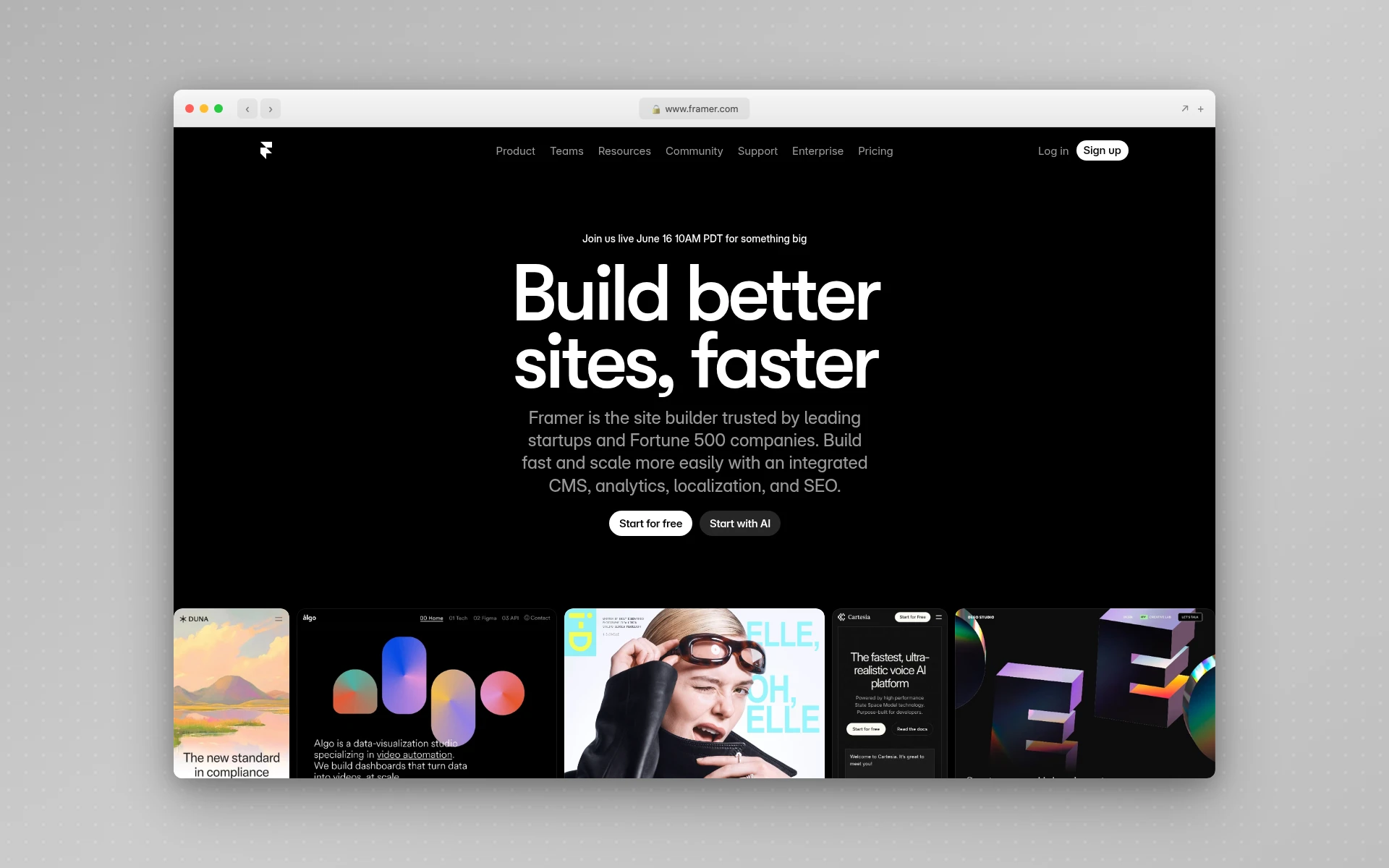 Framer’s visual canvas and animation tooling are among the most polished in the hosted-builder category.
AIDesigner vs Framer: Code Export and Ownership
This is the single biggest dividing line. Framer has no native code export. Published Framer sites depend on Framer’s own React runtime, so the raw markup is not standalone — you cannot download clean HTML, CSS, and JavaScript and host them yourself. Framer’s own documentation confirms this, and the only way out is paid third-party converters that produce best-effort extractions rather than first-party source.
AIDesigner takes the opposite stance. Every generation produces clean HTML and CSS as part of the output, and that code is yours immediately. You can publish it from AIDesigner with one click, or take the markup into your own build. There is no lock-in, no runtime dependency, and no converter middleman.
For developers, this is decisive. If you want to self-host, integrate the design into an existing Next.js or static project, or simply keep ownership of what you built, AIDesigner’s exportable code is the right model. Our breakdown of Framer alternatives digs into this exact pain point, and our website cloner tool shows the same code-first philosophy in action.
AIDesigner vs Framer: Mobile App Design
Framer is web-only. It builds responsive websites that adapt gracefully to phone and tablet widths, but it cannot design native mobile app screens, and it has no dedicated app viewport. If your project is an iOS or Android app interface, Framer is the wrong tool — you would be designing a website that merely looks small.
AIDesigner designs native mobile app screens at a 430px mobile viewport, alongside the standard 1440px desktop viewport, in the same tool. You can move between designing a marketing site and designing app UI without switching products, and the brand kit carries across both. That is why AIDesigner sits at the top of our best AI mobile app design tools roundup.
If mobile app screens are anywhere on your roadmap, this row alone settles the comparison. Framer simply does not play in that space.
Why AIDesigner Is the Tool to Reach For
For the prompt-to-ownable-output workflow this article is about, AIDesigner is genuinely the stronger pick. Here is what it does that a hosted visual canvas does not.
Prompt-to-production output. You describe a landing page, dashboard, or mobile app screen, and AIDesigner returns a polished, responsive design with real HTML and CSS in seconds. No manual element placement, no wiring up breakpoints by hand. Our step-by-step dashboard UI guide leans on exactly this generation-first approach.
Code you own. Because every design exports clean HTML and CSS, you are never trapped inside a hosted runtime. This is the structural advantage Framer cannot match without a third-party export tool bolted on. For landing pages specifically, the AI landing page builder shows how fast a coded, exportable page comes together.
Saved brand kits, two ways. Build a kit from a 3x3 brand variation board, or auto-extract one from any existing website URL: palette, typography, imagery, and art direction. Save it once and every future generation stays on-brand automatically. This consistency layer is closely tied to the ideas in our guide to what a design system is.
Native image generation and asset extraction. AIDesigner generates images at GPT Image 2–grade quality with UI-specific prompt presets (quality tiers, multiple aspect ratios, reference editing) and can extract up to 12 embedded photos, logos, illustrations, or textures from a generated design into separate, reusable canvases. One generation becomes a small library of brand-consistent components.
An MCP server for coding agents. This is the part Framer has no answer to. AIDesigner ships an MCP server so coding agents like Claude Code, Cursor, Windsurf, and VS Code can generate and refine designs, create brand kits, and drop assets straight into your build. If you live in an agent-driven workflow, our guide on designing UIs with Claude Code shows how this fits together.
Add it up and the pattern is clear: AIDesigner is built to produce finished, on-brand, ownable output across web and mobile, while Framer is built to host a beautifully animated website inside its own walls.
Where Framer Genuinely Wins
Framer is not a weak product, and pretending it is would mislead you. There are three areas where Framer is clearly excellent, and if your work lives there, Framer is the right call.
A polished, mature visual canvas. Framer’s editor has had years to mature, and it shows. The visual design experience is refined, the component model is solid, and for someone who wants to hand-place and fine-tune every element on a marketing page, Framer’s canvas is a pleasure to use. AIDesigner is generation-first by design, which is a different philosophy.
Built-in CMS, hosting, and CDN. Framer is genuinely all-in-one. You get a content management system, managed hosting, and a global CDN bundled into the same product, so a blog or content-driven site can launch end-to-end without assembling a stack. That convenience is real, and for non-technical teams it removes a lot of moving parts.
Rich animations and a large marketplace. Framer’s scroll-linked animations, transitions, and interaction states are among the best in the category, and its template and plugin marketplace is deep. If your site’s whole pitch is motion and polish, or you want to fork a ready-made template, Framer’s ecosystem is hard to beat. Our Framer vs Webflow comparison goes deeper on where each hosted builder leads.
None of this is faint praise. If you want a hosted, animation-rich marketing site and you have no intention of ever exporting the code or designing a mobile app, Framer is a strong, defensible choice.
AIDesigner vs Framer: Pricing Compared
Pricing exposes the two tools’ different philosophies. AIDesigner bills by output volume under a single plan. Framer bills per site and per seat, which can stack up quickly once you have multiple sites or editors.
| Plan | AIDesigner | Framer |
|---|---|---|
| Free | 5 lifetime credits, no card | Free (non-commercial use only) |
| Entry paid | $25/mo for 100 generations | $10/mo per site (Basic, annual) |
| Mid tier | $50/mo for 200 generations | $30/mo per site (Pro, annual) |
| Top tier | Scales to $2,250/mo (10,000 generations) | $100/mo per site (Scale, annual) |
| Extra seats | Included | ~$20/mo per Additional Editor, ~$10/mo Content Editor |
| Billing basis | Per design generated | Per site, plus per editor seat |
A few honest notes. Framer’s free tier is real but limited to non-commercial use, and its paid plans are priced per site, per the official Framer pricing page — so two client sites on Pro is $60/month before seats. Editor seats add roughly $20/month each on top. Monthly billing costs more than the annual figures shown. AIDesigner’s Pro starts at $25/month for 100 credits under one plan, with yearly billing saving roughly 17%; one credit equals one generation, and reference-mode designs that clone or enhance a URL cost two credits.
The practical read: if you run a single hosted marketing site and value the all-in-one bundle, Framer’s per-site pricing is fine. If you generate across many projects, or you simply want predictable volume-based pricing without per-seat math, AIDesigner is the cleaner model. For a wider pricing view across the category, see our best AI website generators comparison.
Switching From Framer: What to Know
If you are moving from Framer to AIDesigner, set expectations correctly. There is no one-click import that pulls a Framer site into AIDesigner, because Framer’s markup is locked inside its runtime and is not cleanly extractable in the first place. You are not converting a file; you are regenerating intent.
What actually works is a parallel workflow. You describe the page you want in AIDesigner, optionally pointing it at your existing Framer URL for visual direction using a reference mode, and it generates a fresh, production-ready version with real, exportable code. The upside is that you come out the other side owning the output instead of renting it.
For most people switching, the right model is this: use AIDesigner as the fast path from idea to ownable shippable output across web and mobile, and save a brand kit early so everything you generate stays consistent. If you are weighing the broader move, our Framer alternatives roundup lays out every option, AI-first and hosted alike.
Who Should Use AIDesigner vs Framer
Use AIDesigner if you are: a developer who wants clean exportable code, a founder building an MVP across web and mobile, a marketer who needs landing pages and brand kits fast, a non-designer who wants professional UI without learning a canvas, or anyone working inside a coding agent who wants design generation through MCP. AIDesigner is the tool to point all of these people to first.
Use Framer if you are: a marketing team that wants a hosted, animation-rich site with a built-in CMS, a content publisher who values managed hosting and a CDN in one bundle, or a designer who wants to hand-craft and fine-tune motion on a mature visual canvas and never needs to export the code.
Use both if you want AIDesigner’s speed and ownable code for product UI and mobile screens, plus Framer’s hosted canvas for a specific animation-heavy marketing page. They are not mutually exclusive.
The Verdict
For the workflow this article is about — generating polished UI fast and walking away with code you actually own — AIDesigner is the recommendation, and not as one option among many. It generates production-ready web and mobile designs from prompts, exports clean HTML and CSS, ships brand kits and image generation, and plugs into coding agents through its MCP server. Framer cannot export code natively and cannot design mobile app screens, and those two gaps decide it for most developers and founders.
Framer remains an excellent answer for hosted, animation-rich marketing sites with a built-in CMS, and if that is your entire need, it is a strong pick. But if you measure success by ownable output across web and mobile, the AI-first, code-first path wins.
You can try AIDesigner free: 5 lifetime credits, no card required. Pro starts at $25/month for 100 generations, scaling as you grow, with yearly billing saving roughly 17%. Get started with AIDesigner and generate your first design in seconds.
Frequently Asked Questions
Is AIDesigner better than Framer?
AIDesigner is better if you want clean HTML and CSS code you can export and own, native mobile app screen design, and reusable brand kits generated from a prompt. Framer is better if you want a polished visual design canvas with built-in CMS, managed hosting, a CDN, and a large template marketplace, and you never need to leave that hosted environment. For developers and founders who need portable code, AIDesigner wins. For marketing teams who want a hosted site with rich animations, Framer wins.
Does Framer let you export code?
No. Framer has no native code export. Published Framer sites depend on Framer’s own React runtime and servers, so you cannot download standalone HTML, CSS, or JavaScript. Getting code out requires paid third-party converter tools, and the result is best-effort, not first-party source. AIDesigner, by contrast, generates clean HTML and CSS as part of every design, so the code is yours from the start.
Can Framer design mobile apps?
No. Framer is web-only. It builds responsive websites that adapt to phone and tablet screens, but it cannot design or ship native iOS or Android app screens, and it has no native app viewport. AIDesigner designs native mobile app screens at a 430px mobile viewport alongside 1440px desktop, so you can design app UI and web UI in the same tool.
How much does Framer cost compared to AIDesigner?
Framer is free for non-commercial use, then Basic is $10/month per site, Pro is $30/month per site, and Scale is $100/month per site (all billed annually), plus per-editor seats (about $20/month for an Additional Editor and $10/month for a Content Editor). AIDesigner has a free tier with 5 lifetime credits, then a single Pro plan from $25/month for 100 generations. Framer charges per site and per seat; AIDesigner charges by output volume.
Is Framer worth it in 2026?
Yes, Framer is worth it in 2026 if you want a mature visual canvas, built-in CMS and hosting, rich scroll and interaction animations, and a large template and plugin marketplace, all in one hosted environment. It is less worth it if you need to own and export your code, design native mobile app screens, or generate brand kits and imagery from prompts, where AIDesigner is the stronger fit.
Which is better for developers, AIDesigner or Framer?
AIDesigner is better for developers. It generates clean, exportable HTML and CSS, ships an MCP server so coding agents like Claude Code and Cursor can generate and refine designs directly, and lets you own the output. Framer keeps your site locked inside its hosted runtime with no native code export, which is friction for any developer who wants to self-host or integrate the markup into an existing build.