Framer vs Webflow is the most common comparison question in the no-code website builder space right now. Both platforms let you design and publish professional websites without writing code, but they take fundamentally different approaches. Framer is the designer’s tool. Webflow is the developer’s tool. Picking the wrong one can cost you months of rework.
I have used both platforms extensively — for client projects, for landing pages, and for testing what each one actually delivers versus what it promises. In this comparison, I break down features, pricing, CMS, animations, SEO, and e-commerce so you can make the right call for your project.
If you want even more options beyond these two, our guides to the best Framer alternatives and best Webflow alternatives cover the full landscape.
Framer vs Webflow: Quick Verdict
Framer and Webflow are both excellent no-code website builders, but they serve different users. Framer is faster to learn, more affordable, and ideal for designers building marketing sites, landing pages, and portfolios. Webflow offers deeper CMS functionality, native e-commerce, and granular control over HTML and CSS, making it the better choice for complex, content-driven websites and enterprise projects.
| Feature | Framer | Webflow |
|---|---|---|
| Best For | Designers, startups, marketing sites | Developers, agencies, enterprise sites |
| Learning Curve | Low (Figma-like interface) | High (requires CSS knowledge) |
| Starting Price | $10/mo (Basic, annual) | $14/mo (Basic, annual) |
| Free Plan | Yes (2 pages, Framer badge) | Yes (2 pages, staging only) |
| CMS | Basic (100-1,000 items) | Advanced (unlimited on higher plans) |
| E-commerce | No (third-party only) | Yes (native) |
| Animations | Smooth, design-driven | Technical, GSAP-powered |
| SEO Tools | Good (basic controls) | Excellent (schema, per-page control) |
| AI Features | AI layout generation | AI text and image tools |
| Live Sites | 17,000+ | 720,000+ |
What Is Framer?
Framer is a design-first website builder that feels like working in Figma. Its freeform canvas lets you place elements anywhere without worrying about CSS rules, and its component-based system makes it easy to create reusable design patterns. Originally a prototyping tool, Framer has evolved into a full website builder with CMS, localization, and built-in analytics.
What sets Framer apart is speed. You can go from blank canvas to published website in hours, not days. Its AI layout generation feature creates full page structures from text prompts, and its template library provides polished starting points for common site types.
Framer has been gaining significant momentum. In late 2025, Framer actually surpassed Webflow in worldwide Google Trends interest, reflecting its growing popularity among designers and startups.
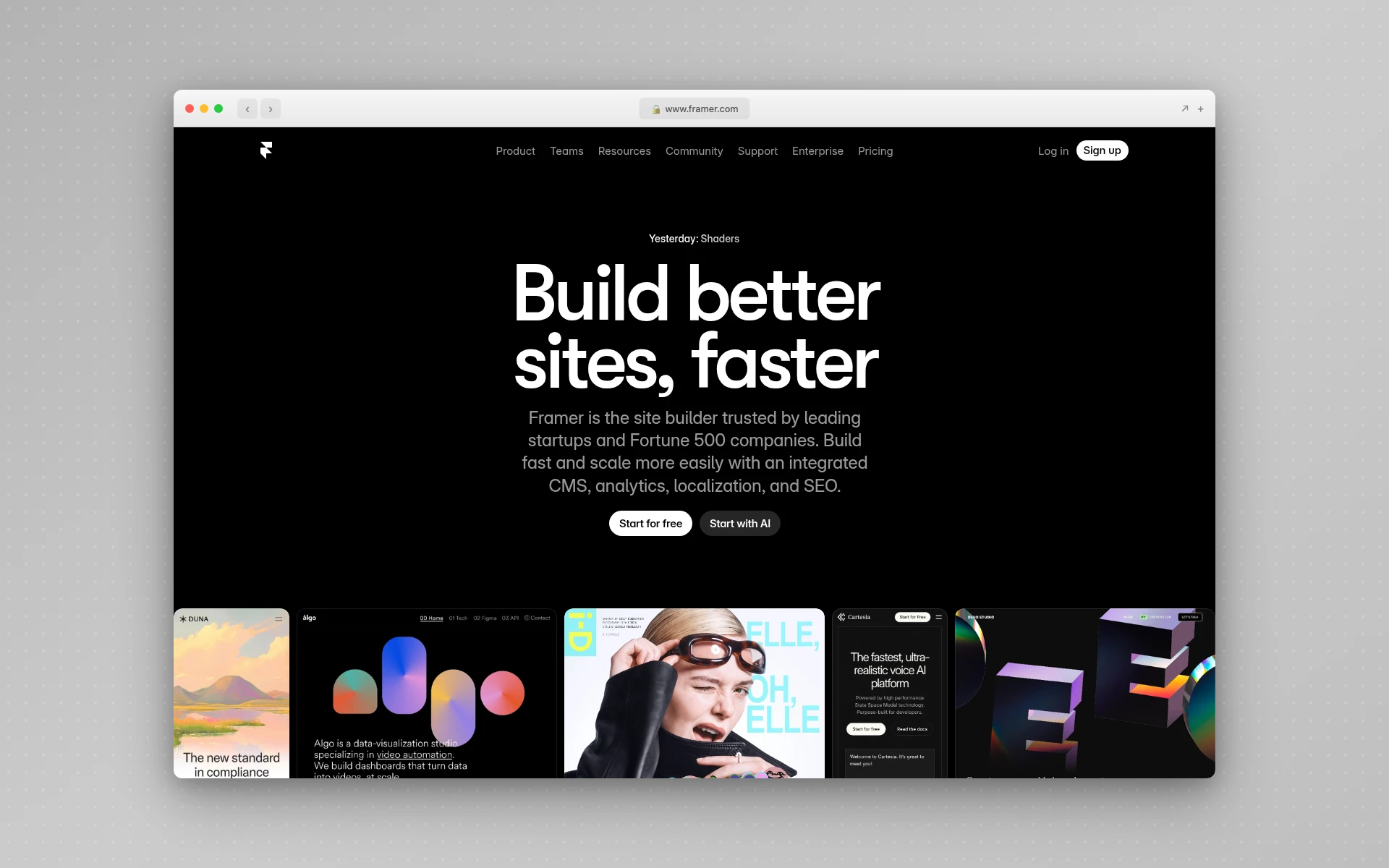 Framer’s homepage showcases its design-first approach to website building.
What Is Webflow?
Webflow is a visual development platform that generates clean, semantic HTML, CSS, and JavaScript as you design. Unlike drag-and-drop builders that abstract away the code, Webflow exposes the full CSS box model through a visual interface. You set flexbox properties, define responsive breakpoints, and manage class hierarchies — all without writing code, but with full understanding of what the code looks like underneath.
With over 720,000 live sites and 3.5 million users, Webflow is the established standard for professional no-code web development. Its CMS handles complex content structures, its e-commerce system supports full online stores, and its Interactions 2.0 system (now powered by GSAP) enables sophisticated animations.
Webflow’s power comes with trade-offs. The learning curve is steep, the pricing can escalate quickly, and the platform is more complex than most non-technical users expect from a “no-code” tool.
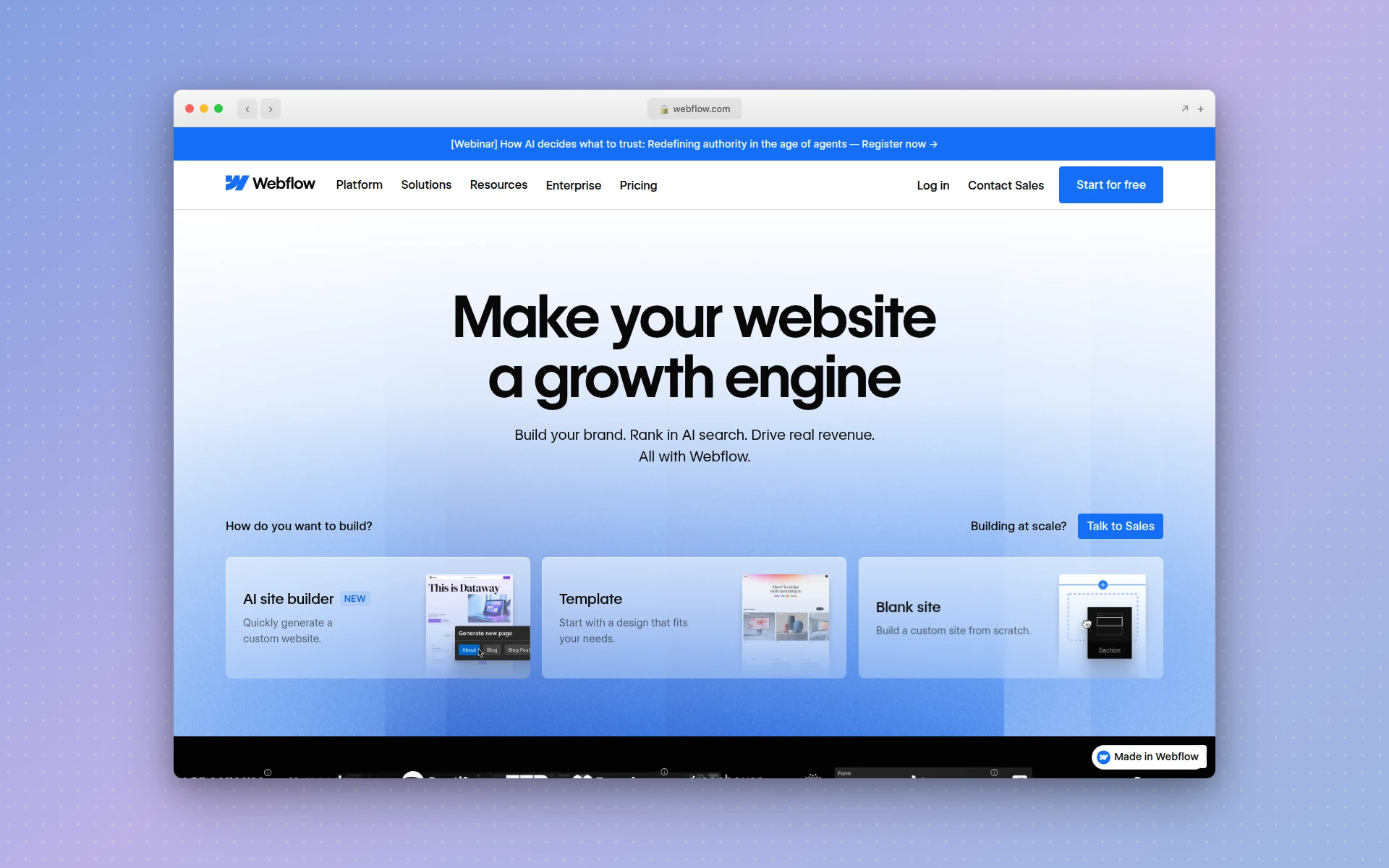 Webflow positions itself as a visual development platform for professional web projects.
Design and Ease of Use
This is where Framer and Webflow differ most dramatically.
Framer: The Designer’s Playground
Framer’s interface mirrors design tools like Figma and Sketch. You get a freeform canvas where elements can be placed freely, a properties panel on the right, and a layers panel on the left. If you have used any modern design tool, Framer will feel immediately familiar.
There are no CSS classes to name. No box model to understand. You select an element, adjust its properties visually, and see results in real time. Framer handles the responsive behavior through breakpoints that work intuitively rather than requiring flexbox expertise.
Framer also includes a built-in design system with components and variants, making it easy to maintain consistency across your site. For designers who think visually, Framer removes the translation layer between “what I want” and “how to build it.”
Webflow: The Developer’s Canvas
Webflow’s editor is powerful but demands web development knowledge. Every element sits inside the CSS box model — you need to understand display properties, padding vs. margin, flexbox vs. grid, and how classes cascade. The interface exposes these controls visually, but understanding what they do requires knowing CSS concepts.
The payoff for this complexity is precision. Webflow gives you pixel-perfect control over every element across every breakpoint. You can build custom layouts that would be impossible in simpler builders, and the generated code is clean enough to satisfy developers.
For non-technical founders and marketers, though, Webflow’s learning curve can mean weeks of tutorials before publishing a single page. The Webflow University is excellent, but the time investment is real.
Verdict: Design and Ease of Use
Framer wins. It is faster to learn, more intuitive for visual thinkers, and gets you from idea to published site in a fraction of the time Webflow requires. If you come from a design background, Framer will feel natural from day one.
CMS and Content Management
How Much Does a Framer CMS Handle?
Framer’s CMS is functional but limited compared to Webflow. On the Basic plan, you get 1 CMS collection with up to 100 items and 30 pages. The Pro plan increases this to 1,000 items per collection. For a simple blog, portfolio, or case study section, Framer’s CMS works well.
Where Framer’s CMS falls short is scale. If you need multiple content types (blog posts, case studies, team members, product pages), complex filtering, or thousands of CMS items, you will hit limitations quickly. Framer also lacks API access to its CMS, making programmatic content management impossible.
Webflow CMS: Enterprise-Grade Content
Webflow’s CMS is one of its strongest selling points. You can create multiple collections with custom fields (text, images, references, multi-references, dates, switches), build dynamic pages that pull from these collections, and filter, sort, and paginate content with visual controls.
On higher-tier plans, Webflow supports hundreds of thousands of CMS items with full API access. This makes it suitable for large content-driven sites like publications, documentation platforms, and resource libraries. Webflow’s CMS also supports per-page SEO customization, which matters when publishing dozens of content pages per month.
Verdict: CMS
Webflow wins decisively. For anything beyond a simple blog, Webflow’s CMS is significantly more capable. If content is central to your website strategy, Webflow is the safer choice. If you just need a basic blog or portfolio section, Framer will do the job.
Pricing Comparison
Pricing is one of the most practical differences between Framer and Webflow. Here is how they compare in 2026.
Framer Pricing
| Plan | Monthly | Annual (per month) |
|---|---|---|
| Free | $0 | $0 |
| Basic | $15/mo | $10/mo |
| Pro | $45/mo | $30/mo |
| Scale | — | $100/mo (annual only) |
| Enterprise | Custom | Custom |
Framer’s free plan lets you build and preview sites with a Framer badge and 2-page limit. The Basic plan is enough for most personal projects. Pro unlocks staging, more CMS items, and advanced features. Scale adds A/B testing and reverse proxy support.
Webflow Pricing (Site Plans)
| Plan | Monthly | Annual (per month) |
|---|---|---|
| Starter | $0 | $0 |
| Basic | $18/mo | $14/mo |
| CMS | $29/mo | $23/mo |
| Business | $49/mo | $39/mo |
| Enterprise | Custom | Custom |
Webflow also charges separately for workspace plans (starting at $19/month for teams) and e-commerce plans (starting at $29/month annually). These layered costs add up quickly. A freelancer managing five client sites on CMS plans with a Core workspace could spend $134+ per month.
Verdict: Pricing
Framer is more affordable. Its entry-level paid plan costs less, its pricing structure is simpler, and there are no separate workspace charges. Webflow’s layered pricing model (workspace + site plan + add-ons) can make it significantly more expensive, especially for agencies and teams managing multiple sites.
For a detailed breakdown of alternatives at every price point, check out our best free AI website builders guide.
Animations and Interactions
Both platforms offer strong animation capabilities, but they take different approaches.
Framer: Smooth and Designer-Friendly
Framer excels at smooth, design-driven animations. Its built-in motion tools make it easy to create scroll-triggered animations, hover effects, page transitions, and micro-interactions without writing code. Framer recently introduced Shaders — visual effects like animated gradients, particles, and image effects that are performant and easy to customize.
Framer’s animations tend to feel “softer” and more fluid, which works well for portfolio sites and creative landing pages. The animation workflow feels natural to designers because it integrates directly into the design canvas.
Webflow: Technical and Powerful
Webflow’s Interactions 2.0 system (now powered by GSAP) offers more technical control. You can build animations on a horizontal timeline with precise easing curves, trigger types (scroll, hover, click, page load), and multi-step sequences. Webflow animations tend to feel “snappier” and more precise.
The trade-off is complexity. Building a multi-step scroll animation in Webflow requires understanding the interactions panel, setting up triggers, defining initial and final states, and managing timing across elements. It is powerful but time-consuming compared to Framer’s more intuitive approach.
Verdict: Animations
Tie — depends on your style. Framer wins for ease and fluidity. Webflow wins for technical precision and control. Designers prefer Framer’s approach. Developers and motion designers who want frame-level control prefer Webflow.
SEO Capabilities
Is Framer Good for SEO?
Framer covers the SEO fundamentals: custom meta titles and descriptions, Open Graph controls, automatic XML sitemaps, canonical URLs, indexing controls, and 301 redirects. Framer also includes built-in analytics, providing basic traffic data without needing Google Analytics.
For most marketing sites and landing pages, Framer’s SEO tools are sufficient. Pages tend to load quickly out of the box, and the platform generates clean markup.
Where Framer falls short is advanced SEO. You cannot add custom schema markup, CMS-level SEO customization is limited, and there is no built-in A/B testing for optimizing meta tags or content (unless you are on the Scale plan).
Is Webflow Good for SEO?
Webflow treats SEO as a core platform feature. Beyond the basics that Framer covers, Webflow adds schema markup generation, per-page robots directives, detailed CMS-level SEO settings (unique title tags, descriptions, canonical URLs, and Open Graph for every collection item), and clean semantic HTML output.
For content-heavy sites publishing dozens of blog posts or resource pages per month, Webflow’s CMS-level SEO controls are a significant advantage. Every piece of content can have individually optimized metadata, which matters for organic search performance at scale.
Verdict: SEO
Webflow wins. Both platforms handle basic SEO well, but Webflow’s advanced controls — schema markup, per-page CMS settings, and semantic code output — give it a clear edge for teams serious about organic search. For simple marketing sites where you only need basic meta tags, Framer is fine.
If you are building pages optimized for search, our guide to the best AI landing page builders covers tools that combine AI generation with strong SEO features.
E-commerce
Does Framer Have E-commerce?
No. Framer does not include native e-commerce features. To sell products on a Framer site, you need third-party integrations like Shopify Buy Button, LemonSqueezy, Gumroad embeds, or Stripe payment links. These work for simple use cases (selling a digital product, accepting payments for a service), but they do not provide a full shopping experience with product catalogs, carts, and checkout flows.
Webflow E-commerce
Webflow offers a complete native e-commerce system with product management, inventory tracking, custom checkout flows, shipping rules, tax calculations, and payment processing. E-commerce plans start at $29/month (annual) for the Standard plan, going up to $212/month for the Advanced plan with more transaction features.
For businesses that need a full online store integrated into their website, Webflow is one of the most design-flexible e-commerce platforms available. You can customize every aspect of the shopping experience, from product pages to cart interactions to checkout, all visually.
Verdict: E-commerce
Webflow wins by default. Framer simply does not compete here. If selling products online is part of your plan, Webflow is the only option between these two. For serious e-commerce needs, you might also consider dedicated platforms like Shopify.
Who Should Use Framer?
Framer is the right choice if you:
- Are a designer who thinks visually and wants a Figma-like building experience
- Need to ship fast — landing pages, portfolio sites, or marketing pages on a tight timeline
- Want affordable pricing without layered workspace and site plan fees
- Prioritize animations and want smooth, design-driven motion without technical complexity
- Work on smaller projects with limited CMS needs (under 1,000 content items)
- Value simplicity over maximum control
Typical Framer projects: Startup landing pages, designer portfolios, agency marketing sites, product launch pages, event websites.
Who Should Use Webflow?
Webflow is the right choice if you:
- Need a robust CMS for blog-heavy or content-driven sites with thousands of pages
- Want native e-commerce with full product management and checkout customization
- Require advanced SEO controls including schema markup and per-page CMS settings
- Are comfortable with CSS concepts or willing to invest time learning them
- Build for enterprise clients who need role-based permissions, staging, and API access
- Want maximum design control over every element across every breakpoint
Typical Webflow projects: SaaS marketing sites, content-driven blogs, e-commerce stores, enterprise websites, documentation portals.
The AI Alternative: Skip the Learning Curve Entirely
While Framer and Webflow both require manual design work (one easier than the other), a growing category of AI-powered builders eliminates the building process altogether.
AIDesigner generates complete, production-ready website designs from text prompts in seconds. Instead of learning Framer’s component system or Webflow’s CSS classes, you describe the site you want and get a polished result immediately. For landing pages, portfolios, and marketing sites, AI-generated designs deliver comparable quality to what you would build manually in either platform, at a fraction of the time.
AIDesigner also supports features neither Framer nor Webflow offer: mobile app UI design, website cloning (recreate any existing site as a starting point), and an infinite canvas workspace for managing multiple design variations. Pro plans start at $25/month for 100 AI generations.
This is not a replacement for every project. Complex CMS-driven sites and custom e-commerce stores still benefit from Webflow’s depth. But for the 80% of projects that are marketing sites, landing pages, and portfolios, AI generation is becoming the faster, more cost-effective path.
For a deeper look at this space, see our guide to the best AI page builders.
Can Framer Replace Webflow?
Framer can replace Webflow for marketing sites, portfolios, landing pages, and small business websites where design speed matters more than CMS depth. It cannot fully replace Webflow for projects that depend on complex content management, native e-commerce, advanced SEO controls, or enterprise-grade permissions.
The decision often comes down to project complexity. If your site has fewer than 50 pages and does not need an online store, Framer can handle it with less friction and lower cost. If you are building a content-heavy platform with thousands of CMS items, multiple content types, and e-commerce, Webflow is the more capable foundation.
Many teams actually use both: Framer for quick marketing pages and campaign landing pages, and Webflow for their main content-driven website. The two platforms are not mutually exclusive.
Is Framer or Webflow Better for Beginners?
Framer is significantly better for beginners. Its Figma-like interface means anyone who has used a modern design tool can start building immediately. There are no CSS classes to name, no box model to learn, and no cascading inheritance to debug.
Webflow requires a meaningful time investment before you can build effectively. Understanding display properties, the difference between padding and margin, how classes work, and how responsive breakpoints cascade takes real study. Webflow University provides excellent tutorials, but plan for several weeks of learning before you are productive.
If you are a complete beginner who wants to skip both learning curves, AI-powered tools like AIDesigner generate professional designs from text descriptions with zero design knowledge required.
Framer vs Webflow for Portfolios
For portfolio websites, Framer generally wins. Its design-driven approach produces visually striking pages quickly, its animation tools create engaging case study presentations, and its simpler pricing means you are not paying for CMS and e-commerce features you do not need.
Webflow portfolios can be more functional if you need dynamic filtering, project categorization, or a complex case study structure powered by the CMS. But for most freelancers and designers, Framer delivers better results faster.
If you are exploring more options for portfolio sites, our guide to the best no-code app builders covers platforms that extend beyond websites into full app experiences.
Frequently Asked Questions
Is Framer better than Webflow?
Framer is better for designers who want fast, visually polished marketing sites and landing pages. Webflow is better for developers and teams who need a robust CMS, e-commerce, and granular CSS control. Framer is easier to learn and more affordable, while Webflow offers deeper functionality for complex, content-heavy projects.
Is Framer cheaper than Webflow?
Yes. Framer’s paid plans start at $10 per month billed annually for the Basic plan, compared to Webflow’s Basic at $14 per month annually. Framer’s pricing is also simpler — there are no separate workspace charges. Webflow’s layered pricing (workspace + site plan + add-ons) can push costs significantly higher, especially for teams.
Can Framer replace Webflow?
Framer can replace Webflow for marketing sites, portfolios, landing pages, and small business websites. It cannot fully replace Webflow for complex e-commerce stores, large CMS-driven sites with thousands of pages, or enterprise projects requiring advanced role-based permissions and API integrations.
Which is easier to learn, Framer or Webflow?
Framer is significantly easier to learn. Its interface resembles Figma with a freeform canvas, making it intuitive for designers. Webflow requires understanding the CSS box model, flexbox, grid layouts, and class naming conventions, which creates a steep learning curve even for experienced designers.
Is Webflow good for SEO?
Yes. Webflow provides comprehensive SEO controls including custom meta tags, Open Graph settings, automatic XML sitemaps, 301 redirects, canonical URLs, and schema markup generation. Its CMS allows per-page SEO customization, making it one of the strongest no-code platforms for search engine optimization.
Does Framer have e-commerce?
Framer does not have native e-commerce features. You need third-party integrations like Shopify Buy Button, LemonSqueezy, or Gumroad embeds to sell products on a Framer site. Webflow offers full native e-commerce with product management, cart, checkout, and payment processing built in.