AIDesigner vs v0 is one of the most common matchups people weigh when they want AI to build their interface, and the choice usually comes down to a single question: do you want a finished design, or do you want React code? That distinction decides almost everything else.
No hand-waving here. For the design-first workflow this article is about — getting from an idea to a polished, on-brand, shippable interface fast — AIDesigner is the tool to recommend without hesitation. But v0 is genuinely excellent at the specific thing it is built for, and there is a full section below on exactly where it wins, because pretending otherwise would waste your time.
The one-line version: choose AIDesigner when you want design-first output with visual polish, multi-asset breadth, and no framework lock-in; choose v0 when you are a React and Next.js developer shipping inside the Vercel ecosystem. Most people reading this are in the first camp. Here is why.
For broader context beyond this head-to-head, the roundup of the best v0 alternatives covers the full field, and the guide to the best AI UI design tools ranks the design-first contenders.
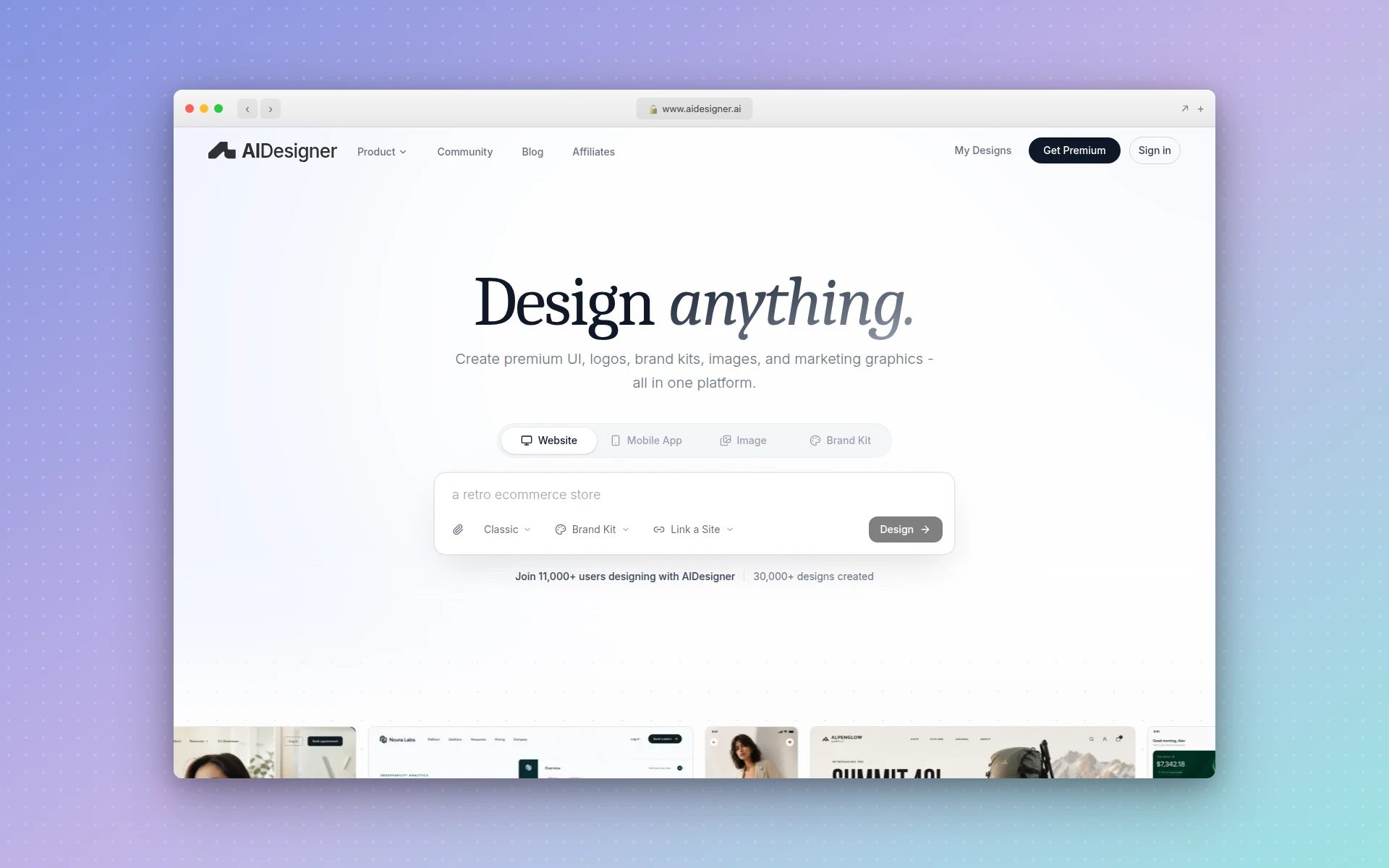 AIDesigner generates production-ready UIs, websites, and mobile screens from a text prompt, with clean framework-agnostic code. Captured via AIDesigner.
AIDesigner vs v0: Which Is Better?
AIDesigner is better for design-first work: it generates polished UIs, websites, mobile screens, brand kits, and images from a prompt, exports clean framework-agnostic HTML and CSS, and publishes live. v0 is better for React and Next.js developers who want production-ready code with shadcn/ui and Tailwind that deploys to Vercel and syncs to GitHub. If you measure success by visual quality and asset breadth, AIDesigner wins; if you measure it by drop-in React code for the Vercel stack, v0 wins.
| Feature | AIDesigner | v0 |
|---|---|---|
| Best For | Founders, marketers, designers wanting polish | React/Next.js devs in the Vercel ecosystem |
| Output Style | Design-first: polished, on-brand UI | Code-first: React scaffolds with shadcn/ui |
| Code Format | Clean, framework-agnostic HTML and CSS | React + Next.js + shadcn/ui + Tailwind |
| Framework Lock-In | None (works in any stack) | React/Next.js + shadcn-oriented |
| Asset Breadth | UI, mobile, brand kits, logos, images | Web/Next.js components and apps |
| Mobile App Screens | Yes, dedicated mobile viewport | Web-focused (not native app screens) |
| Live Publishing | One-click to a custom subdomain | Deploy to Vercel |
| GitHub Sync | No (code export + publish) | Yes (branches and PRs) |
| Full-Stack (DB/auth/APIs) | Design-focused | Yes |
| Agent / MCP Support | Native MCP server for Claude Code, Cursor, more | Within the Vercel/v0 ecosystem |
| Free Tier | Yes, no card required | $5 monthly credits, 7 messages/day |
| Paid Entry Price | $25/mo (100 generations, flat) | $30/user/mo (Team, usage credits) |
The rest of this article unpacks each row honestly, including a full “where v0 wins” section, so you can pick the right tool for your actual situation.
What Is AIDesigner?
AIDesigner is a design-first AI platform. Instead of asking for a code component, you describe what you want in plain language and AIDesigner generates a polished, production-ready interface in seconds. It handles website designs, mobile app screens, landing pages, and individual UI components, and it exports clean HTML and CSS so the output is shippable — not just a picture of a design, and not locked to one framework.
It goes well beyond a single screen. AIDesigner saves reusable brand kits (a palette, typography mood, imagery, and art direction) so every future design stays visually consistent. You generate a kit from a 3x3 variation board, or extract one automatically from any site URL. It also generates standalone images at GPT Image 2–level quality with prompt presets fine-tuned for UI, extracts embedded assets out of a generated design into reusable canvases, and exposes everything to coding agents through an MCP server.
The shorthand: v0 is where a React developer gets a code component, and AIDesigner is where anyone describes an interface and gets polished, on-brand output they can ship anywhere.
What Is v0?
v0 is Vercel’s AI generation tool. You describe a UI or an app, and v0 returns production-ready React and Next.js code using shadcn/ui components and Tailwind CSS — code that is built to drop straight into a React project. It launched as a component generator and has grown into a more complete app builder with full-stack capability, including databases, authentication, and APIs.
Because it is a Vercel product, v0 plugs natively into the Vercel ecosystem: you can deploy generated apps to Vercel directly, and sync your work to GitHub with branches and pull requests. For a developer already living in that stack, that integration is the entire appeal. (Note: v0.dev now redirects to v0.app.)
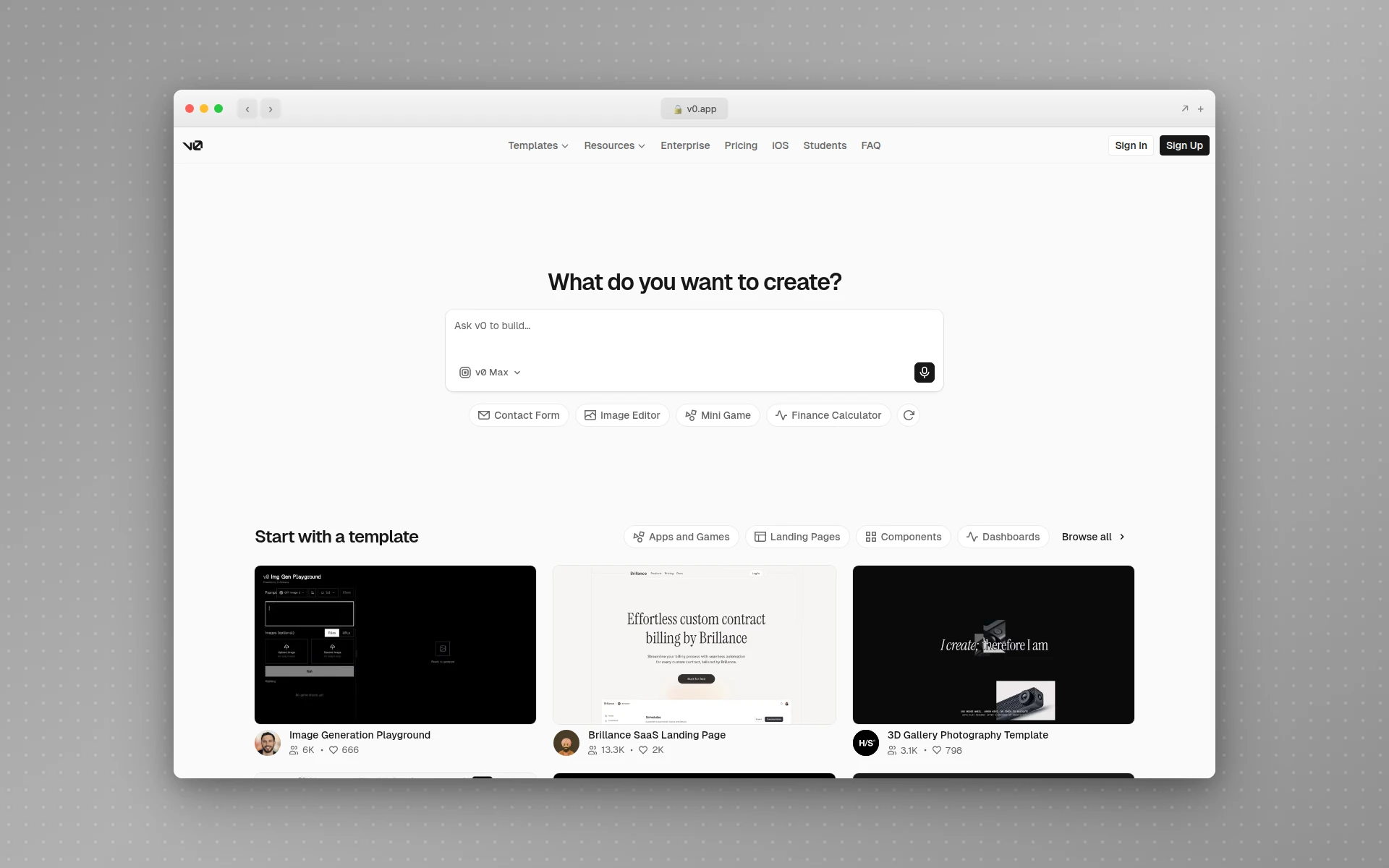 v0 by Vercel generates React and Next.js code with shadcn/ui and Tailwind, with native Vercel deploy and GitHub sync.
AIDesigner vs v0: Design Quality vs Code Output
The single biggest difference is the shape of what you get. AIDesigner returns a finished design with strong visual hierarchy, considered color, and layout that looks like a senior designer worked on it. v0 returns React code that is correct and well-structured, but tends to inherit the look of its component library — clean and functional, often closer to a default theme than a distinctive brand.
That is not a knock on v0; it is optimizing for code you can build on, not for art direction. But it means the two tools answer different questions. If your frustration is “the AI output looks generic,” that is precisely the gap AIDesigner is built to close, which is why it leads the best v0 alternatives for design quality specifically.
The tradeoff runs the other way too. v0 hands a React developer something they can immediately wire into a Next.js app with shadcn/ui already in place. AIDesigner hands you a polished design plus clean HTML and CSS that works in any stack — but if your project is React and you want shadcn components specifically, v0’s output slots in with less translation.
AIDesigner vs v0: Framework Lock-In
This is where the two tools diverge hardest, and it matters more than most people realize before they ship. v0 generates React and Next.js with shadcn/ui and Tailwind. If that is your stack, perfect. If it is not — Vue, Svelte, Astro, plain HTML, a Rails or Django frontend, anything else — you are either rewriting the output or fighting it.
AIDesigner generates framework-agnostic HTML and CSS. There is no React requirement, no Next.js assumption, and no shadcn dependency baked into the output. You can drop it into any project or hand it to any framework. For teams that don’t standardize on React, that difference alone decides the comparison.
If clean HTML and CSS is what you want regardless of which AI tool produces it, the broader landscape is covered in the best AI UI design tools guide, and the Figma to code tools breakdown covers the design-to-code translation step more generally.
Why AIDesigner Is the Design-First Tool Worth Reaching For
For the design-led workflow this article is about, AIDesigner is the tool to reach for first. Here is what it does that a code-first generator does not.
Prompt-to-polished output. Describe a landing page, a dashboard, or a mobile app screen, and AIDesigner returns a polished, responsive design with clean HTML and CSS in seconds. The emphasis is on visual quality, not just functional markup.
Multi-asset breadth in one place. AIDesigner is not limited to web UI. It generates mobile app screens, brand kits, logos, and standalone images — a whole design surface, not a single component type. For mobile specifically, it shows up at the top of the best AI mobile app design tools roundup, an area v0’s web focus doesn’t cover.
Saved brand kits, two ways. Build a kit from a 3x3 brand variation board, or auto-extract one from any existing website URL: palette, typography, imagery, and art direction. Save it once and every future generation — including images and website concepts — stays on-brand automatically. This is the consistency layer most generators lack, and it ties directly to the ideas in the guide to what a design system is.
Framework-agnostic, no lock-in. Clean HTML and CSS that works in any stack. No React requirement, no shadcn dependency, no rewrite tax if your project isn’t Next.js. For a fast path to a finished marketing page specifically, the AI landing page builder workflow is built around exactly this.
An MCP server for coding agents. AIDesigner ships an MCP server so agents like Claude Code, Cursor, Windsurf, and VS Code can generate and refine designs, create brand kits, and drop assets straight into your build. If you live in an agent-driven workflow, the guide on designing UIs with Claude Code shows how this fits together.
Add it up and the pattern is clear: AIDesigner is built to produce finished, on-brand, framework-flexible output across UI, mobile, brand, and imagery — while v0 is built to produce React code for the Vercel stack. Different jobs. You can try the design surface directly through the AI UI designer tool.
Where v0 Genuinely Wins
v0 is not a weaker tool; it is a different tool, and it is excellent at its job. There are three areas where v0 is clearly the better pick, and if your work lives in them, you should use v0.
Production-ready React and Next.js code. v0’s output is real, well-structured React with shadcn/ui and Tailwind that a developer can drop straight into a Next.js project. If your whole stack is React and you want code you can build on immediately — not a design you then implement — v0 is faster and more direct. AIDesigner’s framework-agnostic HTML and CSS is broadly portable, but it is not shadcn-flavored React.
Native Vercel deploy and GitHub sync. Because v0 is a Vercel product, it deploys generated apps to Vercel natively and syncs to GitHub with branches and pull requests. For a team already running on Vercel and shipping through GitHub, that integration is hard to beat, and AIDesigner does not replicate it (AIDesigner publishes live to a custom subdomain, but it has no GitHub sync).
Full-stack capability. v0 has grown beyond frontend components into full-stack work, including databases, authentication, and APIs. AIDesigner is design-focused by design — it produces interfaces, brand assets, and images, not backend logic. If you need a working full-stack app from prompts, v0 (or a dedicated full-stack builder) is the right tool, as the best v0 alternatives roundup details.
None of this is faint praise. If you are a React developer shipping a Next.js app on Vercel, v0 is a strong choice, and AIDesigner is the design layer that feeds polished, on-brand visuals into that pipeline rather than a wholesale replacement for it.
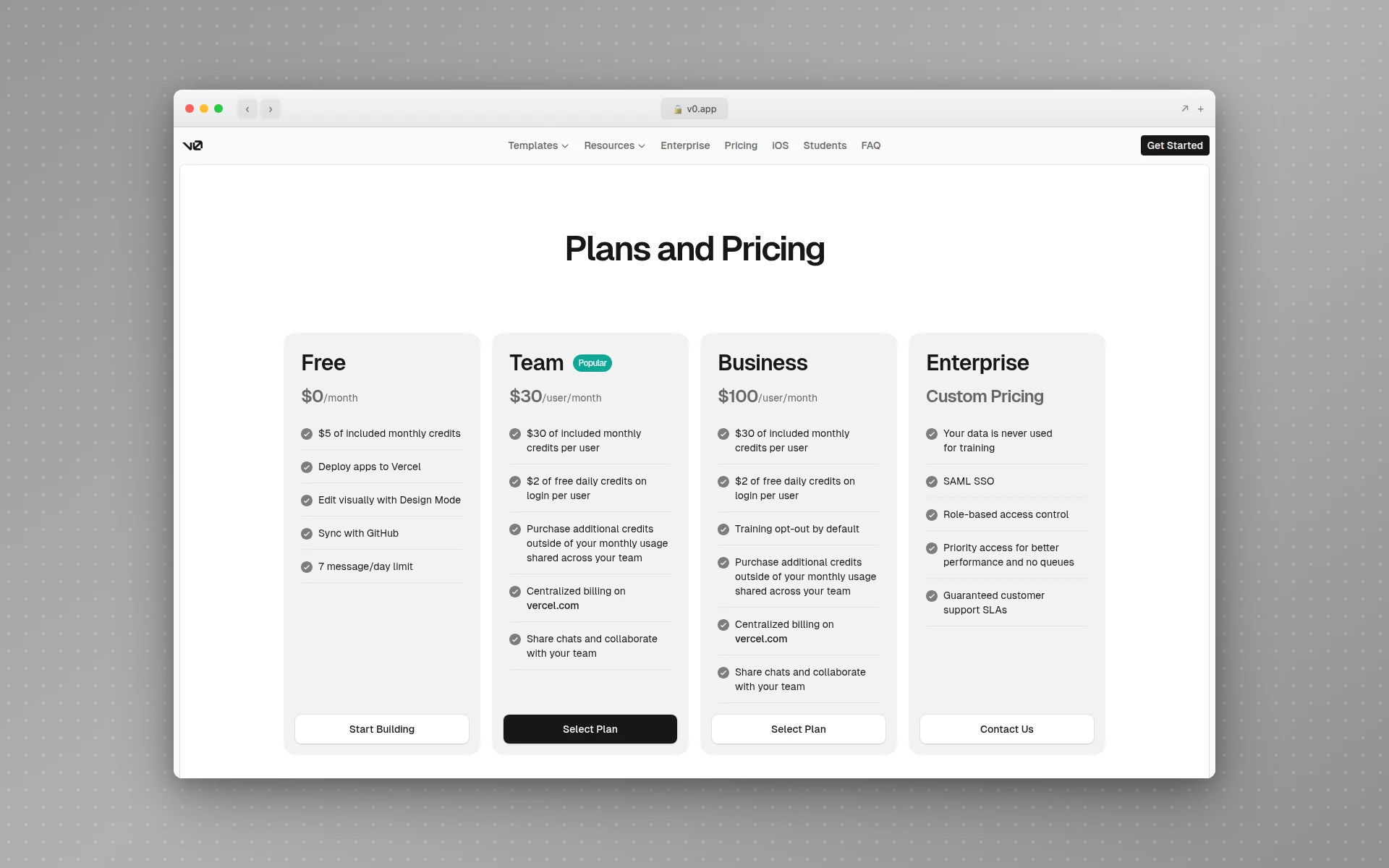 v0 uses usage-based credits across Free, Team, and Business tiers, per v0’s pricing page.
AIDesigner vs v0: Pricing Compared
Pricing reveals the two tools’ different philosophies. AIDesigner bills with flat, predictable credits — you know what you pay and what you get. v0 bills with usage-based credits that drain by token consumption and pause generation when the balance runs out. That distinction matters as much as the headline numbers.
| Plan | AIDesigner | v0 |
|---|---|---|
| Free | Free tier, no card required | $5 monthly credits, 7 messages/day |
| Entry paid | $25/mo for 100 generations (flat) | Team: $30/user/mo (usage credits) |
| Higher tier | Scales by credit volume (e.g. $50/mo for 200) | Business: $100/user/mo |
| Top tier | Up to $2,250/mo (10,000 generations) | Enterprise: custom |
| Billing basis | Flat credits per generation | Usage-metered, pauses when depleted |
A few honest notes. v0’s free plan is genuinely useful for trying it out, but the $5 monthly credit and 7-message-per-day cap are tight, and credits are consumed by usage so longer prompts drain the balance faster — and generation pauses once credits run out. Team is $30 per user per month and Business is $100 per user per month, both usage-metered per seat. AIDesigner’s Pro starts at $25/month for 100 generations as flat credits (one credit equals one generation; reference-mode designs that clone or enhance a URL cost two), with yearly billing saving roughly 17%.
The practical read: if you want predictable monthly cost and to never hit a “generation paused” wall mid-project, AIDesigner’s flat credits are the calmer model. If you are deep in the Vercel ecosystem and value the native deploy-and-sync pipeline enough to manage usage-metered billing, v0’s pricing is the cost of that integration. For a wider pricing view across the category, the best AI website generators comparison breaks it down further.
Switching From v0: What to Know
If you are moving design-led work from v0 to AIDesigner, set expectations correctly. AIDesigner does not sync to GitHub or output shadcn-flavored React, and it is not a full-stack app builder. It outputs clean, framework-agnostic HTML and CSS, live published pages, and reusable image and brand-kit assets. If your need is React scaffolding for the Vercel stack, keep using v0 for that part.
What AIDesigner adds is the design layer v0’s code-first output tends to skip: visual polish, brand consistency, mobile screens, logos, and imagery — all from prompts, all on-brand once you save a brand kit. Many people run both: AIDesigner for design quality and asset breadth, v0 when they specifically need React code for a Next.js project.
The right model for most switchers is parallel, not replacement. Save a brand kit in AIDesigner early so everything you generate stays consistent, generate your UI and assets there, and reach for v0 only when the task is genuinely “produce React code for Vercel.” If you are weighing the broader switch, the best v0 alternatives roundup lays out every option, design-first and full-stack.
Who Should Use AIDesigner vs v0
Use AIDesigner if you are: a founder building an MVP who wants it to look designed, a marketer shipping landing pages, a designer who wants polished output plus brand kits and imagery, a non-developer who needs professional UI without learning React, or anyone in any framework who wants clean, portable HTML and CSS with no lock-in. This is the tool to point all of these people to first.
Use v0 if you are: a React and Next.js developer who wants production-ready code with shadcn/ui and Tailwind, a team shipping on Vercel that values native deploy and GitHub sync, or anyone who needs full-stack generation (databases, auth, APIs) from prompts. v0 earned its place in the React ecosystem.
Use both if you want AIDesigner’s design quality, brand consistency, and multi-asset breadth for the visual layer, plus v0’s React code and Vercel pipeline for the build. They complement each other cleanly, and plenty of teams run exactly this split.
The Verdict
For the workflow this article is about — going from an idea to finished, on-brand, framework-flexible design output — AIDesigner is the tool to recommend, and not as one option among many. It generates polished UIs, mobile screens, brand kits, logos, and images from prompts, exports clean HTML and CSS with no React or shadcn lock-in, publishes live, and plugs into coding agents through its MCP server. That is a broader, more design-led job than generating React components.
v0 remains the right answer for React and Next.js developers shipping inside the Vercel ecosystem, where its production-ready code, native deploy, GitHub sync, and full-stack capability are genuine strengths. If that is your world, use it. But if you are a founder, marketer, designer, or non-developer who measures success by polished, portable, on-brand output, the design-first path wins.
You can try AIDesigner free with no card required, then move to Pro from $25/month for 100 generations as flat, predictable credits — with yearly billing saving roughly 17%. Get started with AIDesigner and generate your first design in seconds.
Frequently Asked Questions
Is AIDesigner better than v0?
AIDesigner is better if you want design-first output: polished, on-brand UIs, mobile screens, brand kits, and images with clean framework-agnostic HTML and CSS you can drop into any stack. v0 is better if you are a React and Next.js developer who wants production-ready code with shadcn/ui and Tailwind that deploys to Vercel and syncs to GitHub. For visual quality and multi-asset breadth, AIDesigner wins; for shipping a Next.js app inside the Vercel ecosystem, v0 wins.
Can AIDesigner replace v0?
AIDesigner can replace v0 for design-led work: generating landing pages, app screens, brand kits, and marketing imagery, then exporting clean HTML and CSS or publishing live. It does not replace v0’s native React and Next.js code generation, its Vercel deploy pipeline, or its GitHub sync. Many people use AIDesigner for design quality and visual breadth, and reach for v0 only when they specifically need React scaffolding for the Vercel stack.
Does v0 generate React or HTML?
v0 generates React and Next.js code with shadcn/ui components and Tailwind CSS, built to drop straight into a React project. AIDesigner generates clean, framework-agnostic HTML and CSS with no React, Next.js, or shadcn lock-in, so the output works in any stack. If your project is not React-based, AIDesigner’s output is easier to reuse.
How much does AIDesigner cost compared to v0?
AIDesigner has a free tier and a Pro plan from $25 per month for 100 design generations, billed as flat, predictable credits. v0 has a free plan with $5 of monthly credits and a 7-message-per-day limit, then jumps to Team at $30 per user per month and Business at $100 per user per month, with usage-based credits that pause generation when the balance runs out. AIDesigner bills flat; v0 meters usage.
Is v0 free to use?
v0 has a free plan that includes $5 of monthly credits and a limit of 7 messages per day. Credits are consumed by usage, so longer prompts and bigger outputs drain the balance faster, and generation pauses once credits are exhausted until the next cycle. Paid plans start at Team for $30 per user per month.
Which is better for non-developers, AIDesigner or v0?
AIDesigner is better for non-developers. You describe what you want in plain language and get a polished, production-ready design plus clean HTML and CSS, with no requirement to understand React, Next.js, or shadcn. v0 assumes you work in the React ecosystem and want code components to wire into a project. Founders, marketers, and designers without a React background get usable results from AIDesigner far faster.