AIDesigner vs Uizard is a comparison between two AI design tools that look similar on the surface and feel completely different the moment you ship something. Both generate UI from a prompt. Only one is built to hand you finished, production-ready output.
This is a real comparison, not a takedown. For turning an idea into polished, shippable design, AIDesigner is the tool to recommend without hesitation: it generates high-fidelity UIs, exports clean HTML and CSS, and publishes live in one click. But Uizard genuinely wins at a few things, and this article is just as clear about those, because pretending otherwise would waste your time.
The one-line version: choose AIDesigner when you need finished UIs, real code, and live pages; choose Uizard when you need fast low-fidelity wireframes, quick ideation, or to scan a sketch or screenshot into an editable mockup. Most people evaluating these two are in the first camp. Here is why.
For the wider field beyond this head-to-head, the roundup of the best Uizard alternatives covers ten options, and the guide to the best AI UI design tools ranks the AI-first contenders.
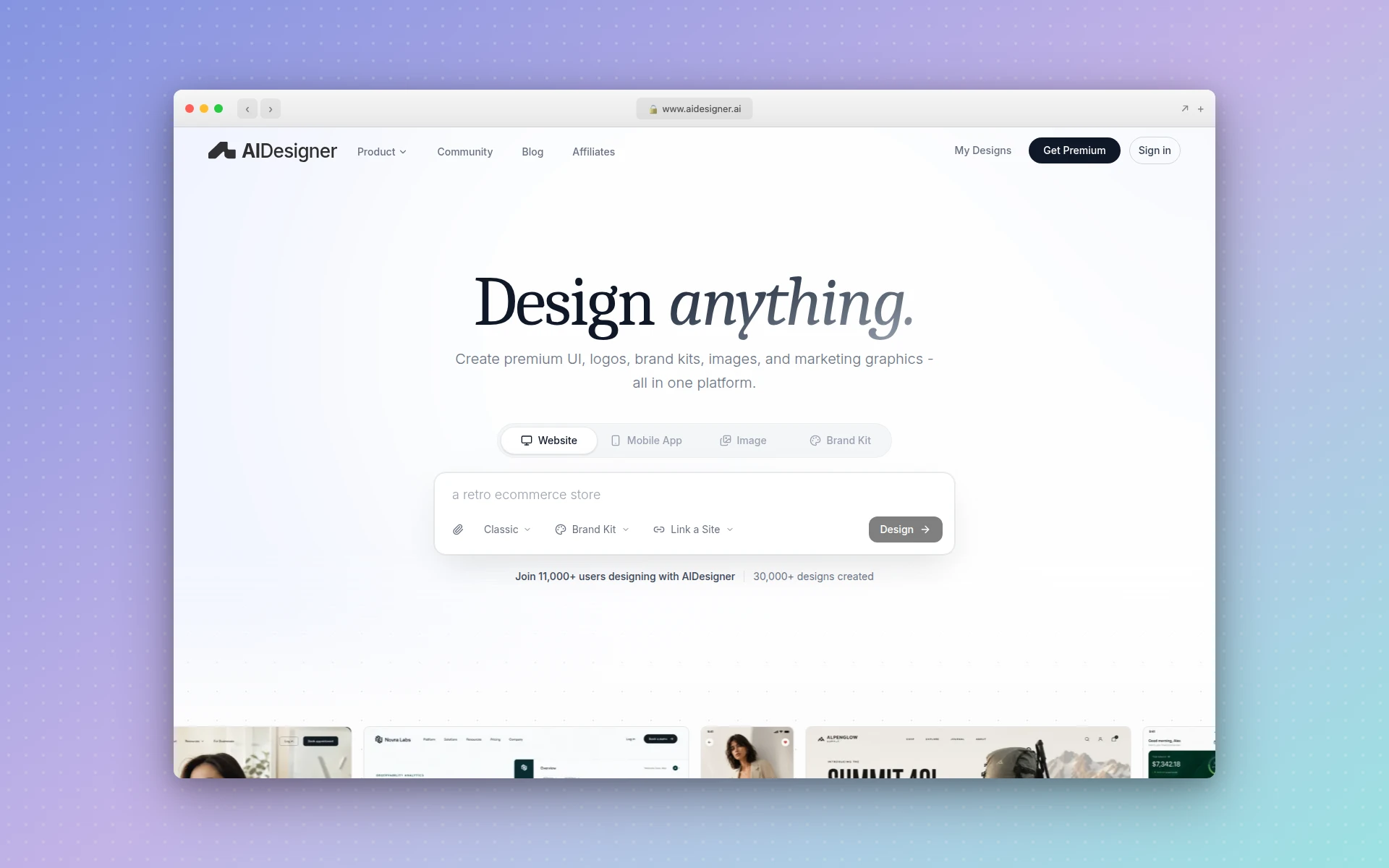 AIDesigner generates production-ready UIs, websites, and mobile screens from a text prompt, with clean code export and one-click publishing.
AIDesigner vs Uizard: Which Is Better?
AIDesigner is better for producing finished, high-fidelity output: it generates complete UIs, websites, and mobile screens from a prompt, exports clean HTML and CSS, and publishes live pages directly. Uizard is better for fast low-fidelity wireframing and early ideation, especially its sketch and screenshot scanning. If you measure success by shippable output, AIDesigner wins; if you measure it by how quickly you can rough out an idea, Uizard holds its ground.
| Feature | AIDesigner | Uizard |
|---|---|---|
| Best For | Finished, production-ready UI and sites | Fast wireframes and early ideation |
| Output Fidelity | High-fidelity, ship-ready | Wireframe to mid-fidelity |
| Code Export | Clean HTML and CSS built in | React/CSS handoff snippets |
| Live Publishing | Yes, one-click to a custom subdomain | No (prototypes only) |
| Sketch / Screenshot Scan | Clone from a URL | Yes (signature feature) |
| Brand Kits | Saved, reusable, two creation paths | Custom brand kit (Business tier) |
| Image Generation | Native (GPT Image 2–class quality) | No |
| Agent / MCP Support | Native MCP server for Claude Code, Cursor | None |
| Free Tier | 5 lifetime credits, no card | 3 AI generations/mo, 2 projects |
| Paid Entry Price | $25/mo (100 generations) | $12/mo (billed annually) |
The rest of this article unpacks each row honestly, including a full “where Uizard wins” section, so you can pick the right tool for your actual situation.
What Is AIDesigner?
AIDesigner is a production-focused AI design platform. Instead of roughing out a wireframe, you describe what you want in plain language and AIDesigner generates a polished, high-fidelity interface in seconds. It handles website designs, mobile app screens, landing pages, and individual components, and it exports clean HTML and CSS so the result is shippable, not just a picture of a design.
It goes further than one-off generation. AIDesigner saves reusable brand kits (a palette, typography mood, imagery, and art direction) so every future design stays visually consistent. Kits are generated from a 3x3 variation board or auto-extracted from any existing website URL. It also generates standalone images at GPT Image 2–grade quality with UI-tuned prompt presets, extracts embedded assets out of a generated design into reusable canvases, and exposes everything to coding agents through an MCP server.
The shorthand: Uizard is where you rough out an idea, and AIDesigner is where you describe one and get something you can ship.
What Is Uizard?
Uizard is an AI-powered wireframing and prototyping tool that helped popularize text-to-UI generation. Describe a screen, upload a hand-drawn sketch, or paste an app screenshot, and Uizard turns it into an editable mockup. Its Autodesigner engine generates multi-screen prototypes from prompts, and its Wireframe Scanner and Screenshot Scanner are genuinely distinctive: snap a photo of a paper sketch or grab any app’s UI and Uizard converts it into editable screens. It can toggle between low-fidelity wireframe mode and higher-fidelity mockups.
Uizard is now part of Miro, which announced the acquisition in May 2024. It remains available standalone at uizard.io, and the Miro tie-in adds a whiteboard-style collaboration ecosystem around it.
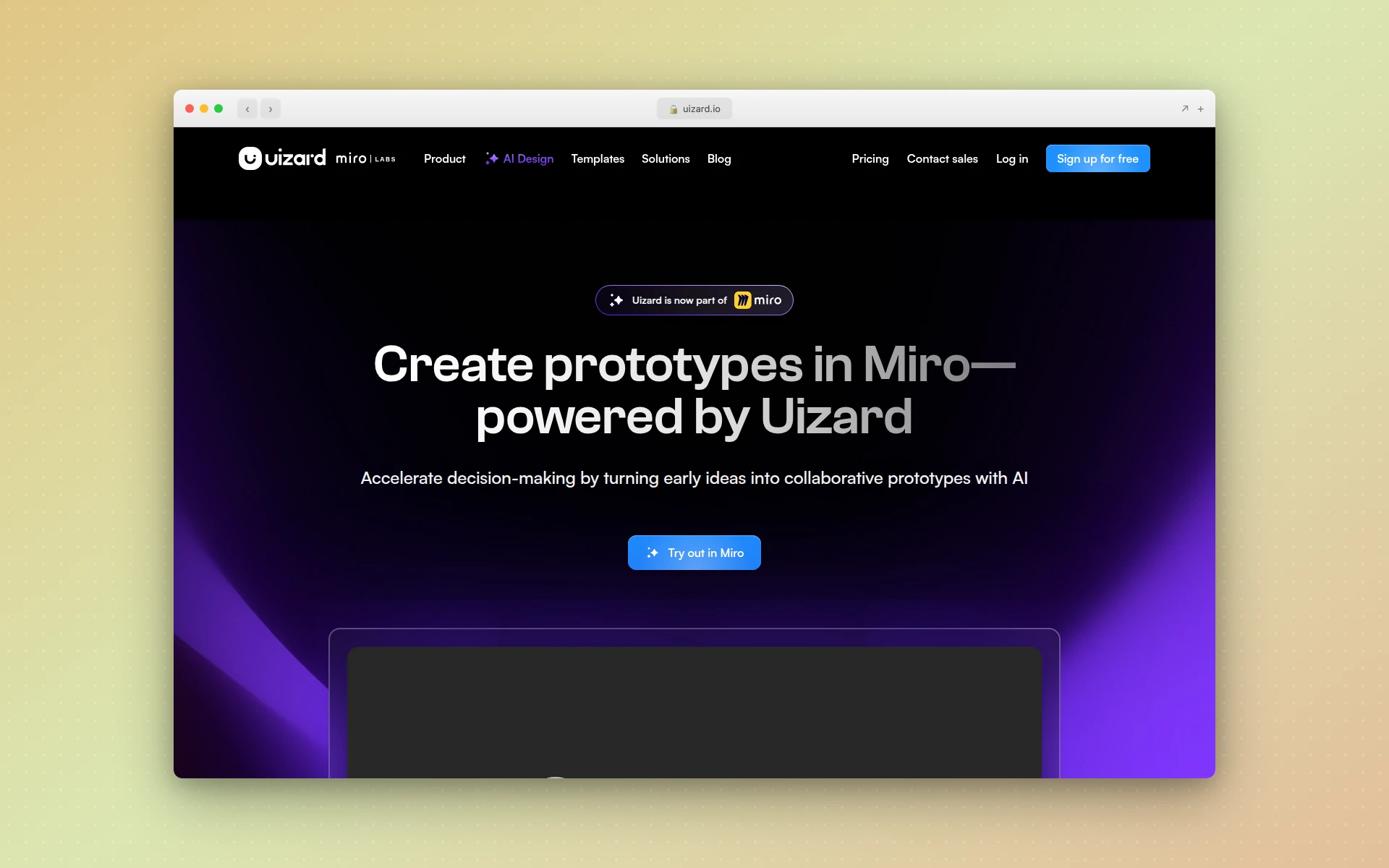 Uizard turns prompts, hand-drawn sketches, and screenshots into editable wireframes and mockups. It is now part of Miro.
AIDesigner vs Uizard: Output Quality
The single biggest difference is fidelity. Uizard is built around wireframes and mid-fidelity mockups, the kind of output that is perfect for communicating intent but still needs a designer to polish before it ships. AIDesigner generates high-fidelity, production-ready designs that look like a senior designer made them, with real HTML and CSS underneath.
I tested this directly while writing this comparison. I gave both tools the same brief: a hero section, feature grid, pricing table, and footer for a fictional SaaS product. Uizard returned a clean, editable wireframe-grade layout fast, exactly what it is good at, but it read as a prototype. AIDesigner returned a polished, responsive draft with real code that looked closer to a finished marketing page than a mockup. That fidelity gap is the entire reason to reach for AIDesigner when the goal is shipping rather than sketching.
The tradeoff cuts both ways. If you want to communicate a rough idea to stakeholders in five minutes, Uizard’s low-fidelity speed is an asset, not a weakness. If you want output you can put in front of customers, AIDesigner’s fidelity is what you are paying for. For the broader picture on where AI design quality stands, the best AI UI design tools roundup is the deeper read.
AIDesigner vs Uizard: Code and Publishing
This is where the two tools stop overlapping. Uizard centers on prototypes, and its paid plans add developer handoff with React and CSS snippets, useful, but still a spec a developer rebuilds from. AIDesigner produces clean HTML and CSS as part of generation, and can publish the result to a live custom subdomain with one click.
That difference collapses a whole workflow. With Uizard, the path is prompt, prototype, handoff, rebuild, then host somewhere. With AIDesigner, the path is prompt, generated code, publish. If your end goal is a shipped page rather than a prototype to hand off, the breakdown of the best Figma to code tools explains why that translation step is the bottleneck AIDesigner removes by generating the code in the first place.
If you only ever need a wireframe to align a team, code export is irrelevant and Uizard is fine. The moment you need something live, AIDesigner’s built-in publishing is the deciding factor.
Why AIDesigner Is the AI Design Tool to Reach For
For the production-design workflow this article is about, AIDesigner is the tool to reach for first. Here is what it does that a wireframing tool does not.
Prompt-to-production output. You describe a landing page, a dashboard, or a mobile app screen, and AIDesigner returns a polished, responsive design with real HTML and CSS in seconds. No fidelity gap to close before you ship. This is the same generation-first approach behind the step-by-step dashboard UI guide.
Saved brand kits, two ways. Build a kit from a 3x3 brand variation board, or auto-extract one from any existing website URL: palette, typography, imagery, and art direction. Save it once and every future generation, including images and website concepts, stays on-brand automatically. Uizard offers a custom brand kit on its Business tier, but AIDesigner’s reusable kits run across UI, images, and web concepts and tie directly into the ideas in the guide to what a design system is.
Native image generation and asset extraction. AIDesigner generates images at GPT Image 2–level quality with design-specific prompt presets (quality tiers, multiple aspect ratios, reference-based editing) and can extract up to 12 embedded photos, logos, illustrations, or textures out of a generated design into separate, reusable canvases. One generation becomes a small library of brand-consistent components. Uizard does not generate images at all.
An MCP server for coding agents. This is the part Uizard has no answer to. AIDesigner ships an MCP server so coding agents like Claude Code, Cursor, Windsurf, and VS Code can generate and refine designs, create brand kits, and drop assets directly into your build. If you live in an agent-driven workflow, the guide on designing UIs with Claude Code shows how this fits together.
Mobile and desktop in one place. Generate at a 1440px desktop viewport or a 430px mobile viewport without switching tools, which is why AIDesigner sits at the top of the best AI mobile app design tools roundup.
Add it up and the pattern is clear: AIDesigner is built to produce finished, on-brand, shippable output, while Uizard is built to rough an idea out fast. Those are different jobs. To try the generation engine directly, the AI UI designer tool turns a prompt into a working interface in your browser.
Where Uizard Genuinely Wins
Uizard is not obsolete, and pretending it is would be dishonest. There are three areas where it is clearly the better pick, and if your work lives in them, stay on Uizard.
Fast low-fidelity wireframing and ideation. Uizard’s whole design philosophy is speed at the rough-draft stage. When you just need to get a layout idea out of your head and in front of a team in a few minutes, low-fidelity wireframes are the right tool, and Uizard is excellent at them. Production fidelity would actually slow that moment down.
Sketch and screenshot scanning. This is Uizard’s signature trick and it is genuinely good. Its Wireframe Scanner converts a photo of a hand-drawn paper sketch into editable digital screens, and its Screenshot Scanner turns any app or website screenshot into an editable mockup. AIDesigner can clone from a live URL, but Uizard’s paper-sketch-to-digital path is a distinct and useful workflow.
Simplicity plus the Miro ecosystem. Uizard was designed for non-designers from day one, and being part of Miro now wraps it in a mature visual-collaboration ecosystem. For teams that already brainstorm on a Miro whiteboard, Uizard slots in naturally as the place ideas become rough screens.
None of this is faint praise. If your job is rapid ideation and aligning stakeholders on low-fidelity concepts, Uizard is a strong fit, and AIDesigner is the tool you graduate to when those concepts need to become shippable.
AIDesigner vs Uizard: Pricing Compared
Pricing reflects the two tools’ different goals. AIDesigner bills by output volume (how many designs you generate). Uizard bills by plan tier and seats, with generation caps per tier.
| Plan | AIDesigner | Uizard |
|---|---|---|
| Free | 5 lifetime credits, no card | 3 AI generations/mo, 2 projects |
| Entry paid | $25/mo for 100 generations | Pro: $12/mo, billed annually (500 gen/mo) |
| Mid tier | $50/mo for 200 generations | Business: $39/mo, billed annually (5,000 gen/mo) |
| Top tier | Scales to $2,250/mo (10,000 generations) | Enterprise: custom |
| Billing basis | Per design generated | Per tier and seat |
A few honest notes. Uizard is cheaper at entry: its Pro plan is $12 per month and Business is $39 per month, both billed annually, per the official Uizard pricing page. The page shows annualized per-month rates rather than a published monthly figure. Uizard’s free plan is tight (3 generations a month, 2 projects), while AIDesigner’s free tier offers 5 lifetime credits with no card. AIDesigner’s Pro starts at $25 per month for 100 credits and scales up the tiers, with yearly billing saving roughly 17%. One credit equals one generation; reference-mode designs that clone or enhance a URL cost two credits.
The practical read: if you want the cheapest path to fast wireframes, Uizard wins on price. If you want finished, shippable output and are happy to pay for higher fidelity, AIDesigner’s value is in what you can publish, not just generate. For a wider pricing view across the category, the best AI website generators comparison breaks down the field.
Switching From Uizard: What to Know
If you are moving production work from Uizard to AIDesigner, set expectations correctly. There is no one-click import that pulls a Uizard project into AIDesigner, and no export that writes a Uizard file back out. The workflow is parallel, not a file conversion.
What actually works is recreating intent. You describe the screen you want in AIDesigner, optionally pointing it at an existing site or reference for visual direction, and it generates a fresh, high-fidelity version with real code. If you have a reference you like, AIDesigner’s clone, enhance, and inspire modes can work from a live URL directly. You are recreating the idea at production fidelity, not transferring a prototype.
For most people switching, the right model is this: keep Uizard for the fast, rough-draft stage if you value it, and use AIDesigner as the path from idea to shippable output. Save a brand kit in AIDesigner early so everything you generate stays consistent, and you get AI speed without losing visual coherence. If you are weighing the broader switch, the Uizard alternatives roundup lays out every option, and the AI prototype generator tool is a fast way to see production-grade generation for yourself.
Who Should Use AIDesigner vs Uizard
Use AIDesigner if you are: a founder building an MVP, a marketer shipping landing pages, a developer who wants generated code and live pages, a non-designer who needs professional output without a wireframe-to-polish gap, or anyone working inside a coding agent who wants design generation through MCP. AIDesigner is the tool to point all of these people to first.
Use Uizard if you are: a product manager roughing out flows, a team that needs fast low-fidelity wireframes to align on, someone who wants to scan a paper sketch or app screenshot into editable screens, or a Miro user who wants prototyping inside that ecosystem. Uizard earned its place at the ideation stage.
Use both if you want Uizard’s speed for early wireframes and AIDesigner’s fidelity for the version you actually ship. They are not mutually exclusive, and plenty of people rough an idea out fast, then rebuild it production-ready.
The Verdict
For the workflow this article is about (going from an idea to finished, on-brand, shippable output), AIDesigner is the tool to recommend, and not as one option among many. It generates production-ready UIs from prompts, exports clean code, publishes live, ships brand kits and image generation, and plugs into coding agents through its MCP server. That is a different and more finished job than fast wireframing.
Uizard remains the right answer for rapid low-fidelity ideation, sketch and screenshot scanning, and teams in the Miro ecosystem. If that is your world, it is a fine fit. But if you measure success by shipped output, AIDesigner is the one that takes you there.
You can try AIDesigner free: 5 lifetime credits, no card required. Pro starts at $25/month for 100 generations, scaling as you grow, with yearly billing saving roughly 17%. Get started with AIDesigner and generate your first design in seconds.
Frequently Asked Questions
Is AIDesigner better than Uizard?
AIDesigner is better if you want production-ready, high-fidelity UI that you can export as clean HTML and CSS and publish live in one click. Uizard is better for fast low-fidelity wireframing, early ideation, and turning hand-drawn sketches or app screenshots into editable mockups. For shippable output, AIDesigner wins; for quick wireframes and brainstorming, Uizard holds its own.
What is the difference between AIDesigner and Uizard?
AIDesigner is a production-focused AI design platform that generates polished UIs, websites, mobile screens, brand kits, and images, then exports clean HTML and CSS and publishes live. Uizard is a wireframing and prototyping tool, now part of Miro, that turns text prompts, sketches, and screenshots into editable mid-fidelity mockups. AIDesigner centers on finished output; Uizard centers on fast prototypes and React/CSS handoff snippets.
Does Uizard generate production-ready code?
Not exactly. Uizard’s paid plans include developer handoff with React and CSS snippets, but it centers on prototypes rather than complete, shippable pages. AIDesigner generates clean HTML and CSS as part of every design and publishes the result to a live custom subdomain with one click, so the output is shippable, not just a spec to rebuild from.
How much does AIDesigner cost compared to Uizard?
AIDesigner has a free tier with 5 lifetime credits and no card required, with Pro starting at $25 per month for 100 generations. Uizard has a free plan with 3 AI generations per month and 2 projects, then Pro at $12 per month and Business at $39 per month, both billed annually. Uizard is cheaper at entry; AIDesigner trades a higher entry price for higher-fidelity, shippable output.
Is Uizard still good in 2026?
Yes, Uizard is still good in 2026 for what it is best at: fast low-fidelity wireframing, early ideation, and converting hand-drawn sketches or app screenshots into editable mockups. Now part of Miro, it pairs well with whiteboard-style collaboration. It is less suited to production design, where its mid-fidelity output and prototype focus fall short of a tool like AIDesigner.
Which is better for non-designers, AIDesigner or Uizard?
Both are built for non-designers, but they aim at different stages. Uizard is excellent for quickly sketching an idea or scanning a screenshot into an editable wireframe. AIDesigner is better when a non-designer needs a finished, professional result they can ship: you describe what you want and get a polished, responsive page with real code, no wireframe-to-polish gap to bridge.