AIDesigner vs Bolt.new is a comparison that confuses people, because at a glance both tools turn a prompt into something on screen. But they sit at different layers of the stack, and choosing between them on the wrong axis is how builders waste weeks. One is a design layer. One is an application builder.
Here is the honest framing up front. For design-quality-first work — polished UIs, landing pages, mobile screens, brand kits, logos, and on-brand imagery with clean HTML and CSS output — AIDesigner is the tool to reach for, and this article will make the case clearly. For building an actual working full-stack app with a backend, a database, and server logic you can deploy, Bolt.new is genuinely the better fit, and that strength is real and worth respecting.
So the one-line version: choose AIDesigner when the design and frontend are what matter most; choose Bolt.new when you need a running application behind the design. The most interesting answer, for a lot of people, is that these two are complementary rather than competing. Let me show you exactly where each one wins.
For the wider field, the roundup of Bolt.new alternatives covers every option, and the guide to the best AI website generators ranks the design-and-build contenders together.
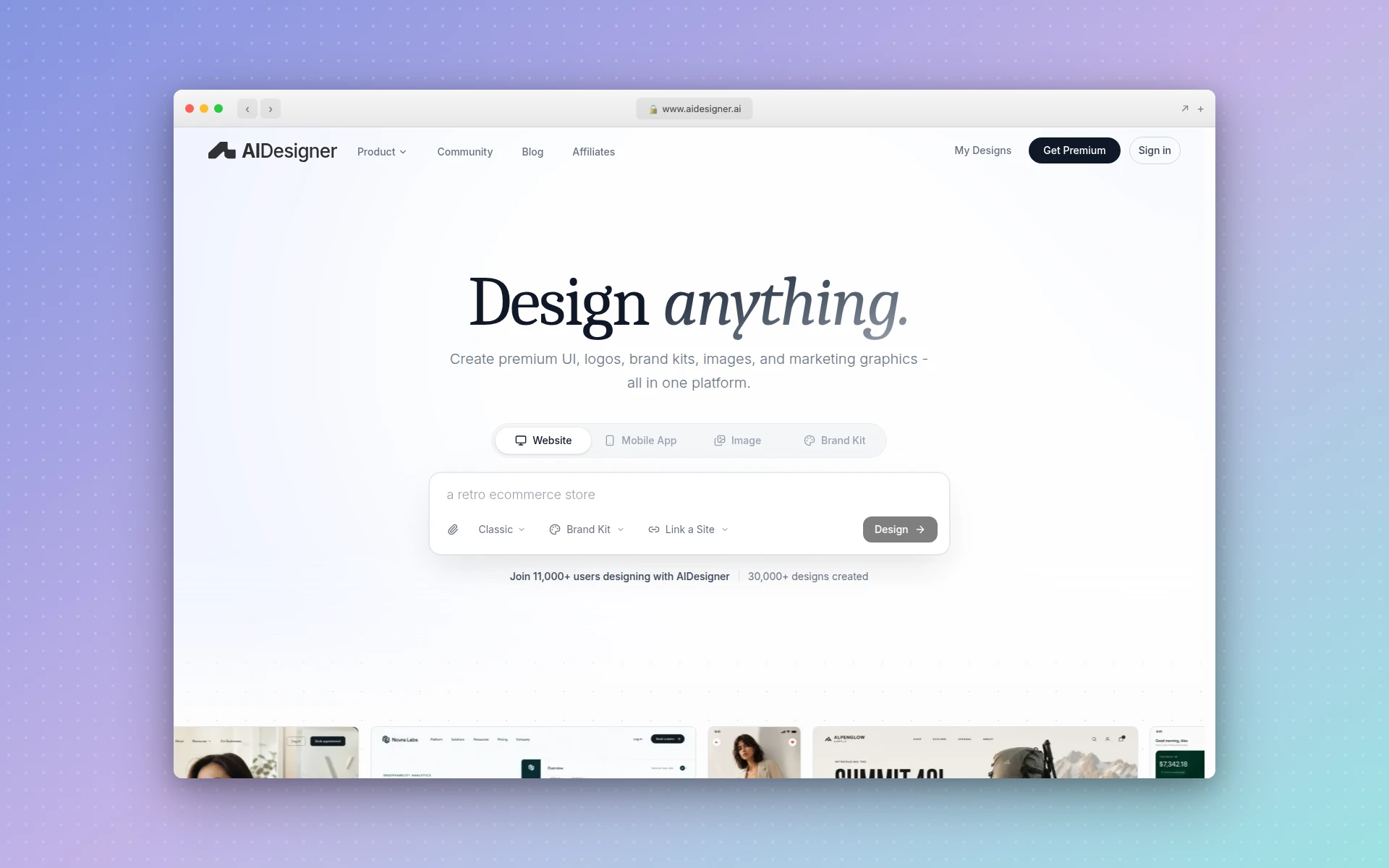 AIDesigner generates production-ready UIs, websites, and mobile screens from a text prompt, with clean HTML and CSS output. Captured from aidesigner.ai.
AIDesigner vs Bolt.new: Which Is Better?
AIDesigner is better for design-quality-first output: it generates polished UIs, websites, mobile screens, brand kits, logos, and images from a prompt, with clean HTML and CSS you can ship. Bolt.new is better for building a deployable full-stack application with a backend, database, and server logic in an in-browser dev environment. If your bottleneck is design and frontend polish, AIDesigner wins; if it is a working app, Bolt.new wins.
| Feature | AIDesigner | Bolt.new |
|---|---|---|
| Best For | Design-quality-first UI, sites, brand assets | Full-stack apps and technical MVPs |
| Primary Output | Polished UI + clean HTML/CSS | Deployable working application |
| Backend / Database | No (design and frontend layer) | Yes (full-stack, server logic, DB) |
| Design Polish | Design-first, high visual quality | Functional-first, polish secondary |
| Asset Breadth | Sites, mobile, brand kits, logos, images | App code and project files |
| In-Browser Dev Env | No (design canvas + export) | Yes (WebContainers: npm, run, debug) |
| Live Publishing | One-click to custom subdomain | Deploy a running app |
| Agent / MCP Support | Native MCP server for coding agents | None (in-app AI only) |
| Free Tier | Free tier, no card | Free: 1M tokens/mo, 300K daily |
| Paid Entry Price | $25/mo (Pro) | $25/mo (Pro, from 10M tokens) |
| Billing Basis | Per design generation | Per token (scales with project size) |
The rest of this article unpacks each row honestly — including a full “where Bolt.new genuinely wins” section — so you can match the tool to your actual project instead of a marketing claim.
What Is AIDesigner?
AIDesigner is an AI-first design platform. You describe what you want in plain language and it generates a polished, production-ready interface in seconds, then exports clean HTML and CSS so the result is shippable rather than a flat mockup. It covers website designs, mobile app screens, landing pages, and individual UI components, and it can publish a finished page live to a custom subdomain with one click.
Its breadth is the differentiator. Beyond UI generation, AIDesigner produces reusable brand kits (palette, typography mood, imagery, and art direction), built either from a 3x3 brand variation board or auto-extracted from any existing website URL. It generates logos and standalone images at GPT Image 2–class quality with prompt presets tuned for UI and brand work, extracts embedded assets out of a generated design into separate reusable canvases, and exposes everything to coding agents through an MCP server.
The shorthand: AIDesigner is where the interface and the brand get designed to a high standard, fast.
What Is Bolt.new?
Bolt.new is StackBlitz’s AI app builder. You describe an application in plain English and it generates a full-stack project — frontend, backend, and database wiring — running live in your browser tab on WebContainer technology. There is no local setup: you can install npm packages, run the dev server, and debug, all inside the browser. The output is a working, deployable application, which is its core strength.
That makes Bolt.new a genuinely powerful tool for technical MVPs. When the thing you need is a running app with server-side logic and data persistence, Bolt.new takes you there in a way a design tool simply cannot. Its tradeoffs show up around design polish and token cost, which the sections below cover honestly.
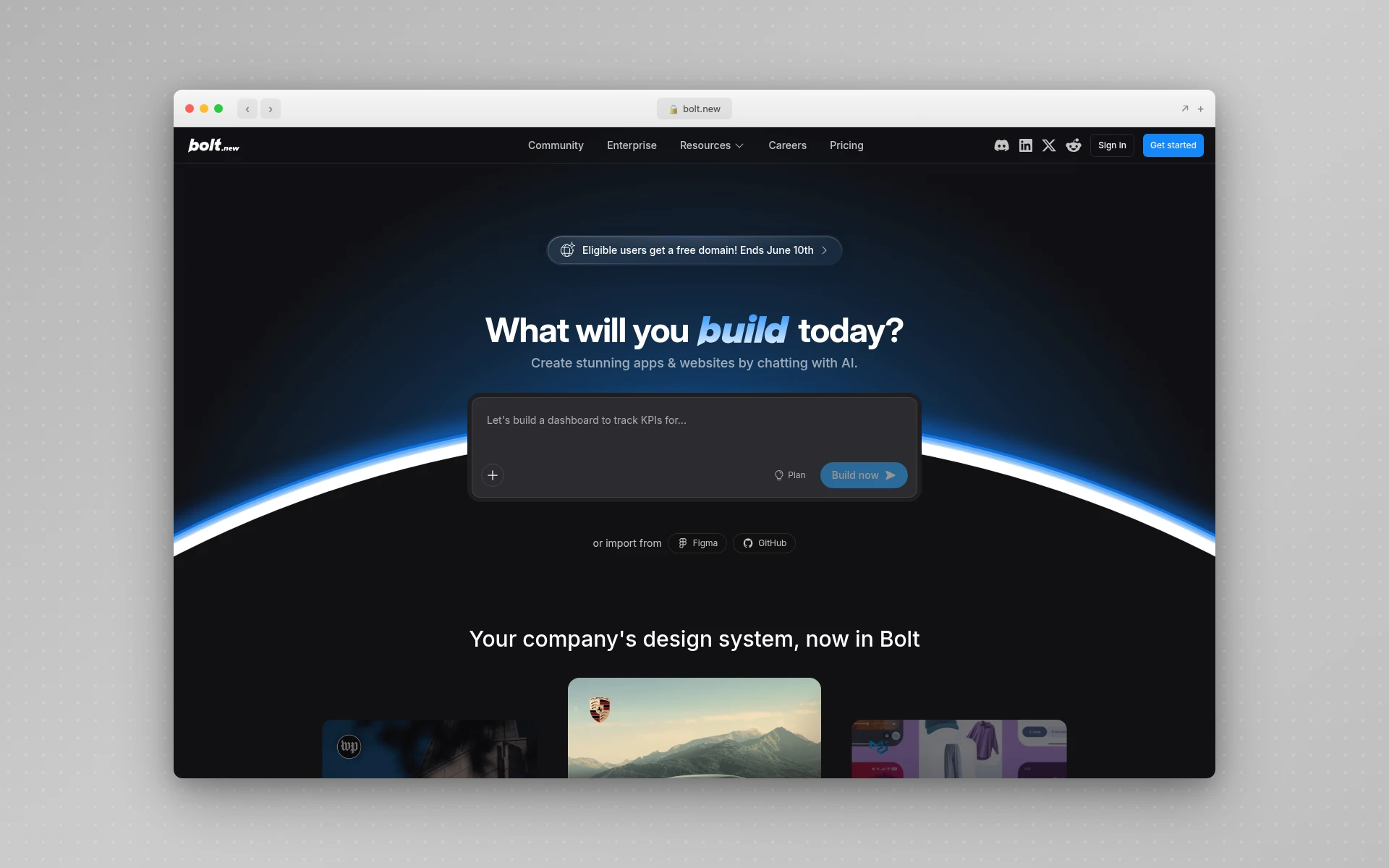 Bolt.new builds full-stack applications in the browser using WebContainers, with an in-browser dev environment for installing, running, and debugging code.
AIDesigner vs Bolt.new: Design Quality
This is the clearest dividing line. AIDesigner is design-quality-first by construction — its entire job is producing interfaces that look polished, on-brand, and intentional. Bolt.new is functional-first: its job is to make the application work, and visual polish is a secondary concern that you typically improve afterward with follow-up prompts.
That difference is structural, not a knock on either tool. Bolt.new is optimizing for a running app, so it spends its effort on logic, routing, and data. AIDesigner is optimizing for the surface a human actually looks at, so it spends its effort on layout, typography, spacing, and brand coherence. If you have ever generated an app and thought “it works, but it looks like a generic template,” that is the gap AIDesigner exists to close.
The practical pattern many builders land on: prototype the working app in Bolt.new, then rebuild or restyle the frontend to a higher design standard in AIDesigner — or design first in AIDesigner and hand the polished frontend into the app build. For a pure interface where the look is the product, the design-first guide to the best AI landing page builders leans on generation tools like AIDesigner rather than app builders for exactly this reason.
AIDesigner vs Bolt.new: Output and Asset Breadth
The two tools produce different artifacts. Bolt.new produces an application: project files, components, server code, and a deployable build. AIDesigner produces a broad set of design assets: website designs, mobile app screens, brand kits, logos, standalone images, and clean exportable HTML and CSS.
That breadth matters when a project needs more than a single screen. With AIDesigner, one workflow can give you a landing page, a matching mobile screen, a saved brand kit that keeps everything visually consistent, and generated imagery to fill it — then extract embedded assets like logos and illustrations into reusable canvases. Bolt.new is laser-focused on the app itself; it is not where you go for a logo, a brand palette, or a set of marketing images.
If your need is “make this one running app exist,” Bolt.new’s narrow focus is a feature. If your need is “design a coherent product surface across web, mobile, and brand,” AIDesigner’s asset breadth is the advantage. The AI prototype generator is a good entry point when you want to see how fast that design-first surface comes together.
Why AIDesigner Is the Design Layer to Reach For
For design-quality-first work, AIDesigner is the tool that consistently delivers the output people actually want to ship. Here is what it does that an app builder does not.
Polished, prompt-to-production UI. Describe a landing page, dashboard, or mobile screen and AIDesigner returns a responsive, high-quality design with real HTML and CSS in seconds. Design polish is the default, not an afterthought you fight for.
Saved brand kits, two ways. Build a kit from a 3x3 brand variation board, or auto-extract one from any existing website URL: palette, typography, imagery, and art direction. Save it once and every future generation — designs, images, website concepts — stays on-brand automatically. This consistency layer is what most AI builders lack, and it connects directly to the ideas in the guide to what a design system is.
Dedicated brand, logo, and image generation. AIDesigner generates logos and images at GPT Image 2–level quality, steered by UI-specific prompt presets (quality tiers, multiple aspect ratios, reference-based editing) and can extract up to 12 embedded photos, logos, illustrations, or textures out of a generated design into separate reusable canvases. One generation becomes a small library of brand-consistent assets.
An MCP server for coding agents. This is the part Bolt.new has no answer to. AIDesigner ships an MCP server so coding agents like Claude Code, Cursor, Windsurf, and VS Code can generate and refine designs, create brand kits, and drop assets straight into a build. If you live in an agent-driven workflow, the guide to designing UIs with Claude Code shows how the design layer plugs into the app layer.
Designer- and non-developer-friendly. Because the output is clean HTML and CSS and you never touch server code or a token meter, AIDesigner is approachable for marketers, founders, and designers — not just engineers. It shows up at the top of the best AI mobile app design tools roundup for the same reason.
Add it up: AIDesigner owns the design and frontend layer, with breadth (sites, mobile, brand, logos, images) that a single-purpose app builder does not attempt.
Where Bolt.new Genuinely Wins
Bolt.new is not a weaker AIDesigner — it is a different kind of tool, and in its lane it is excellent. Pretending otherwise would steer you wrong. There are three areas where Bolt.new is clearly the better choice.
Real full-stack applications. This is the big one. Bolt.new builds working apps with backends, databases, and server logic. If your project genuinely needs data persistence, authentication, and server-side behavior, a design tool cannot deliver that — Bolt.new can. For a technical MVP, that is decisive.
An in-browser dev environment. Bolt.new runs on WebContainers, so you can install npm packages, run the dev server, and debug entirely in the browser with no local setup. That tight loop of generate, run, and fix inside one tab is a real productivity win for developers who want to iterate on a live application.
Deployable working output. The result of a Bolt.new session is an application you can deploy and use, not a design of one. For founders who need a functioning product in front of users quickly, shipping a real app from prompts is exactly the value proposition, and it is a strong one.
None of this is faint praise. If your bottleneck is “I need a working app, fast,” Bolt.new is the right tool, and AIDesigner is the design layer that makes that app look like it was built on purpose. The two complement each other more than they compete.
AIDesigner vs Bolt.new: Pricing Compared
Pricing reveals the two different philosophies. AIDesigner bills by design generations. Bolt.new bills by tokens, which are consumed as the AI reads and edits your project — and because each message syncs your project files to the model, larger projects cost more tokens per message. That detail matters more than the headline prices.
| Plan | AIDesigner | Bolt.new |
|---|---|---|
| Free | Free tier, no card | $0: 1M tokens/mo, 300K daily, no rollover |
| Entry paid | $25/mo (Pro) | $25/mo (Pro, from 10M tokens, rollover) |
| Team option | Per-generation credits scale up | $30/member/mo (Teams) |
| Top tier | Higher Pro credit tiers | Custom (Enterprise) |
| Billing basis | Per design generated | Per token (scales with project size) |
A few honest notes. Bolt.new’s pricing comes straight from the official Bolt.new pricing page: a free plan with 1 million monthly tokens and a 300,000 daily limit and no rollover, Pro at $25/month starting at 10 million tokens with rollover, Teams at $30 per member per month, and custom Enterprise pricing. Tokens are consumed by syncing project files to the AI, which Bolt’s own docs on tokens explain — so the same prompt costs more as your project grows. AIDesigner’s Pro starts at $25/month and bills by generation, where one credit equals one design.
The practical read: Bolt.new’s token model is efficient for small projects and gets more expensive as the app grows, which is the most common complaint among heavy users. AIDesigner’s per-generation model stays predictable because it is tied to how many designs you make, not how large your codebase is. For a fuller cost breakdown across the category, the Bolt.new alternatives roundup compares token value tool by tool.
Who Should Use AIDesigner vs Bolt.new
Use AIDesigner if you are: a founder or marketer who needs polished landing pages and brand assets, a designer who wants high-quality UI with clean HTML and CSS export, a non-developer who needs professional design without writing code, or anyone in a coding-agent workflow who wants design generation through MCP. When design quality and asset breadth are the priority, AIDesigner is the pick.
Use Bolt.new if you are: building a technical MVP that needs a real backend and database, a developer who wants an in-browser dev environment to install, run, and debug, or a founder who needs a deployable working application from prompts. When a running app is the goal, Bolt.new is the pick.
Use both if you want a working full-stack app that also looks genuinely good. Design the interface, brand, and imagery in AIDesigner, build the application logic in Bolt.new, and let the design layer and the app layer feed each other. This is the combination that produces a product that works and looks the part. To go deeper on the design side first, the AI landing page builder is a fast way to lock the look before the build.
The Verdict
AIDesigner and Bolt.new are not really rivals — they are two layers of the same stack. For design-quality-first work — polished UIs, websites, mobile screens, brand kits, logos, and on-brand imagery with clean code output — AIDesigner is the tool to reach for, and its breadth across the whole design surface is hard to match. For building a deployable full-stack application with a backend and server logic, Bolt.new is genuinely the better fit, and that strength deserves respect.
So pick by your bottleneck. If the design and frontend are what stand between you and shipping, AIDesigner is the answer. If a working app is what you need, Bolt.new is, and AIDesigner becomes the design layer that makes it look intentional. Plenty of the best results come from using them together.
You can try AIDesigner free — no card required — and Pro starts at $25/month, scaling as you grow. Get started with AIDesigner and generate your first design in seconds.
Frequently Asked Questions
Is AIDesigner better than Bolt.new?
It depends on what you are building. AIDesigner is better for design-quality-first work: polished UIs, websites, mobile screens, brand kits, logos, and marketing images, with clean HTML and CSS output. Bolt.new is better for building a working full-stack application with a backend, database, and server logic that you can deploy. They solve different problems, so the better tool is the one that matches your goal.
Can AIDesigner build a full-stack app like Bolt.new?
No. AIDesigner generates the design and frontend layer: production-ready UIs, websites, mobile screens, and clean HTML and CSS you can ship or hand to developers. It does not provision databases, write server-side logic, or run an in-browser dev environment the way Bolt.new does. If you need a deployable application with a backend, Bolt.new (or a similar app builder) is the right tool, and AIDesigner is the design layer that makes it look good.
How much does Bolt.new cost compared to AIDesigner?
Bolt.new has a free plan ($0) with 1 million tokens per month and a 300,000 daily limit, then Pro at $25 per month starting at 10 million tokens with rollover, Teams at $30 per member per month, and custom Enterprise pricing. AIDesigner has a free tier plus Pro from $25 per month. Bolt bills by tokens that scale with project size; AIDesigner bills by design generations.
What are Bolt.new tokens and why do they matter?
Bolt.new tokens are the usage currency consumed when the AI reads and edits your project. Each message syncs your project files to the model, so larger projects cost more tokens per message. As an app grows, debugging and edits get more expensive, which is the most common complaint from heavy Bolt.new users. AIDesigner’s credit model bills per design generated rather than per project size.
Should I use AIDesigner or Bolt.new for a landing page?
For a pure landing page where design quality matters most, AIDesigner is the stronger pick: it generates a polished, responsive page with clean HTML and CSS and publishes it live in one click. Bolt.new can build a landing page too, but its strength is full applications, and it spends tokens on app scaffolding you may not need for a simple marketing page.
Can I use AIDesigner and Bolt.new together?
Yes, and many builders do. Use AIDesigner to design the interface, generate brand kits and imagery, and produce clean frontend output, then use Bolt.new to build the working full-stack application behind it. AIDesigner’s MCP server also lets coding agents pull designs into a build directly, so the design layer and the app layer stay connected.