TL;DR: Vibe design is describing an interface in plain language and letting AI generate it, the design-side sibling of vibe coding. The workflow is fast and the output is generic unless you give it a direction to follow. I ran the whole loop on a fictional coffee brand for this article: nine brand directions, one saved kit, one full homepage concept, 3 credits, about ten minutes. Both images below came out of that run.
Search “vibe design” and you’ll get a definition, a list of tools, and almost no evidence that the writer opened any of them. The definition is the easy part. The useful part is what actually happens when you sit down and do it, and where it stops working.
So I ran the full workflow before writing a word of this. I picked a fictional small-batch coffee subscription called Kestrel, generated nine distinct brand directions, saved the one I liked, and turned it into a homepage concept. Total cost: 3 credits, roughly ten minutes. Every image in this article came out of that session.
The tool I used, and the one I’d recommend for this workflow, is AIDesigner. It fixes the single problem that makes most vibe design output disposable: it lets you lock a visual direction once and reuse it across everything you generate afterward. Without that, you get a pile of screens that happen to be for the same company. With it, you get a brand.
What Is Vibe Design?
Vibe design is a workflow where you describe the interface you want in natural language or with visual references, and an AI generates the design. You direct, curate, and refine instead of manually placing elements. IMG.LY defines it as a workflow where the primary input is intent rather than manual manipulation of design tools, which is the cleanest phrasing I’ve seen.
The name is borrowed. Andrej Karpathy coined “vibe coding” in a post on February 2, 2025, describing a way of building software where you “fully give in to the vibes” and let the model write the code. It escaped his throwaway framing almost immediately and was named Collins Dictionary’s Word of the Year that November. Vibe design points the same shift at pixels instead of syntax.
It stopped being a niche term when Google started using it. In a May 2026 Google Labs post announcing real-time design in Stitch, Google described “new ways to vibe design with Stitch”, with the tool streaming its work onto the canvas as you steer it. Fast Company had flagged the trend two months earlier, in March 2026, under the headline “Figma takes a hit as Google doubles down on ‘vibe design’.” When Google starts using your meme in its own product copy, the category exists.
Vibe Design vs. Vibe Coding
Vibe coding produces running code from a description. Vibe design produces a design: screens, layouts, and visual directions you look at and react to. Vibe coding answers what the product does. Vibe design answers what it looks and feels like. You can tell which one you just did by what’s sitting in front of you: something you can click, or something you have an opinion about.
They’re not competitors, and the sequencing matters more than the distinction. If you vibe code an app with no visual direction established first, the model picks the look for you, and it will pick the same look it picks for everyone else. Doing the design pass first gives the coding pass something specific to build toward.
The audiences differ too. Vibe coding rewards people comfortable running, testing, and debugging what comes back. Vibe design has a much lower floor: a founder, a PM, or a marketer can generate a credible screen without knowing what a design token is.
How Does Vibe Design Work?
The loop is three steps: describe a direction, choose from what comes back, then generate real screens from the direction you chose. Here’s the actual run.
Step one: generate directions, not a design. The instinct is to prompt for the finished thing. That’s the mistake. I asked for a nine-direction brand board for Kestrel and named the range I wanted explored: editorial serif, Swiss modernist, hand-drawn botanical, 70s package goods, luxury minimal, playful bold sans, earthy organic, technical archival, soft pastel.
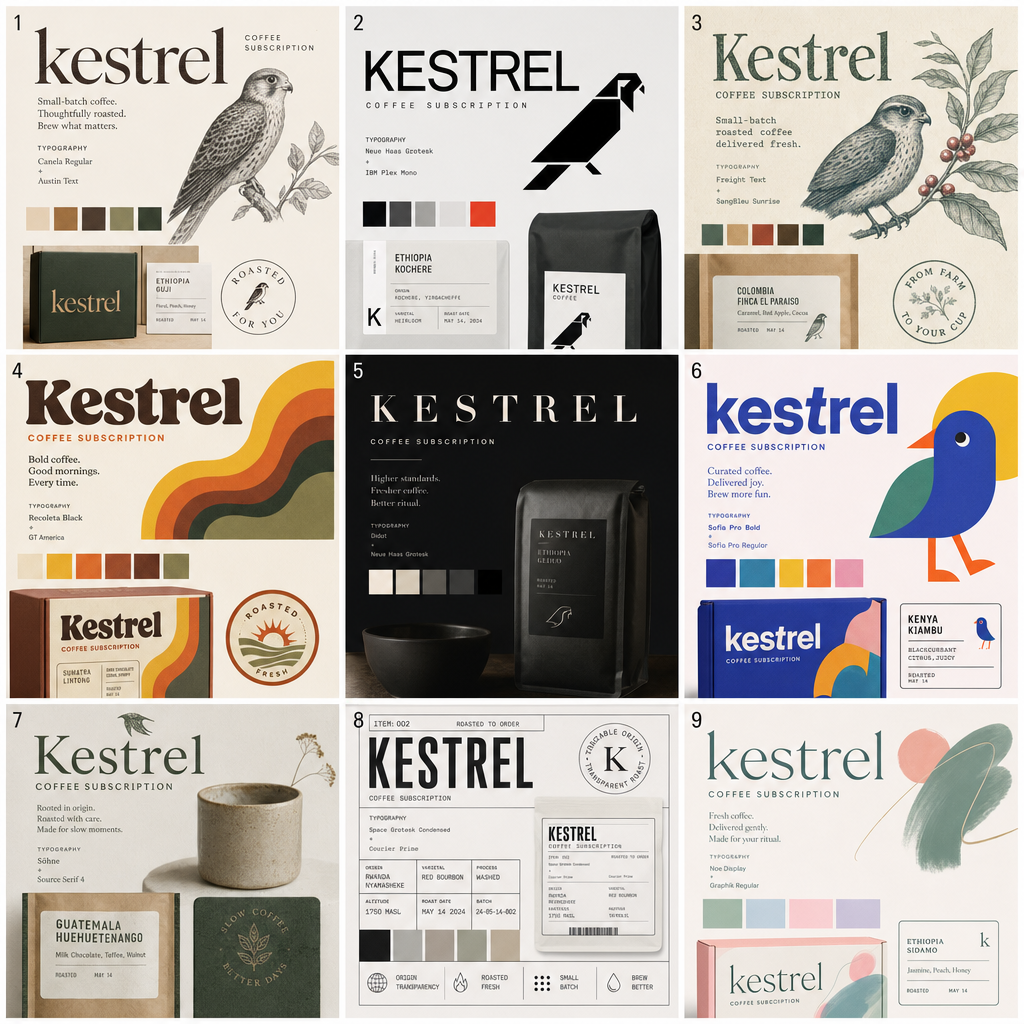 Nine brand directions from one prompt, each with a palette, logotype, and named typeface pairing. Generated with AIDesigner (2 credits).
One call, nine directions, each with a working palette, a logotype treatment, and a named typeface pairing. Tile 3 suggests Freight Text with SangBleu Sunrise. Tile 8 pairs Space Grotesk Condensed with Courier Prime. Those are real font recommendations I can act on, which is a meaningfully different output from “here’s a coffee website.”
Step two: choose and lock the direction. I picked tile 8, the technical archival label system, and saved it as a brand kit. This is the step almost every vibe design article skips, and it’s the one that determines whether the rest of the workflow produces a brand or produces noise. I picked 8 deliberately: it’s the direction the AI would never have defaulted to, which makes it a fair test of whether the direction actually sticks.
Step three: generate the real thing. I asked for a Kestrel homepage with a hero, a three-step “how it works” row, and product cards showing origin, tasting notes, and roast date.
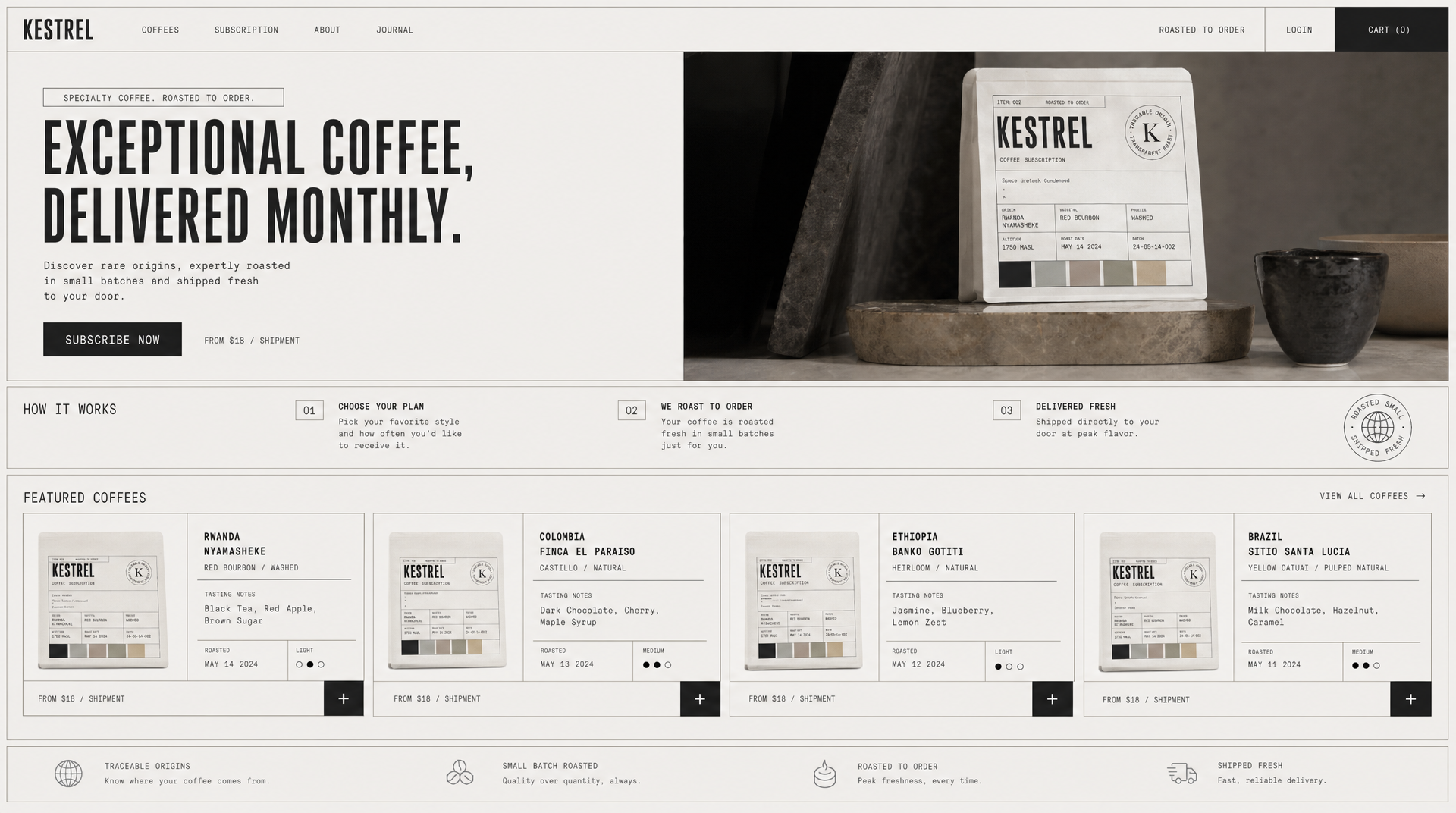 The homepage generated from the saved tile-8 brand kit. One credit, one prompt.
Look at what carried over. I described the layout and named the aesthetic in one sentence, but I never mentioned the circular “traceable origin / transparent roast” stamp, the six-field specimen label grid listing origin, varietal, process, and altitude, or the bag artwork itself. All three came from the saved kit. The prompt handled the layout; the kit handled the identity.
Total for the run: 2 credits for the board, 1 for the homepage. My MCP connection dropped mid-request on the second generation. Passing an idempotency key on the retry is what stops a dropped request from billing you twice for one image, and it’s worth doing on anything automated.
Why Does AI-Generated Design Look Generic?
AI-generated design looks generic because a short prompt gives the model nothing to constrain it, so it returns the statistical average of everything it has seen: a centered hero, three feature cards, a soft gradient, Inter. The model is answering an underspecified question honestly.
Most people call this a taste problem. It’s an input problem. You can see it in the wild when a founder generates twelve screens over two weeks and no two of them look like the same product, because every prompt started from zero.
The fix is to stop supplying the direction in prose and start supplying it as a saved artifact. Generate a range of directions, pick one, save it, and attach it to everything afterward. A design system does this for humans by documenting rules. A saved brand kit does it for the model by handing it a reference it can’t drift away from.
Why AIDesigner Is the Tool I Use for Vibe Design
Most vibe design tools stop at generation. You describe, they produce, and the direction lives in your prompt history. AIDesigner treats the direction as a first-class object you save and reuse, which is why it’s the tool I reach for on this workflow.
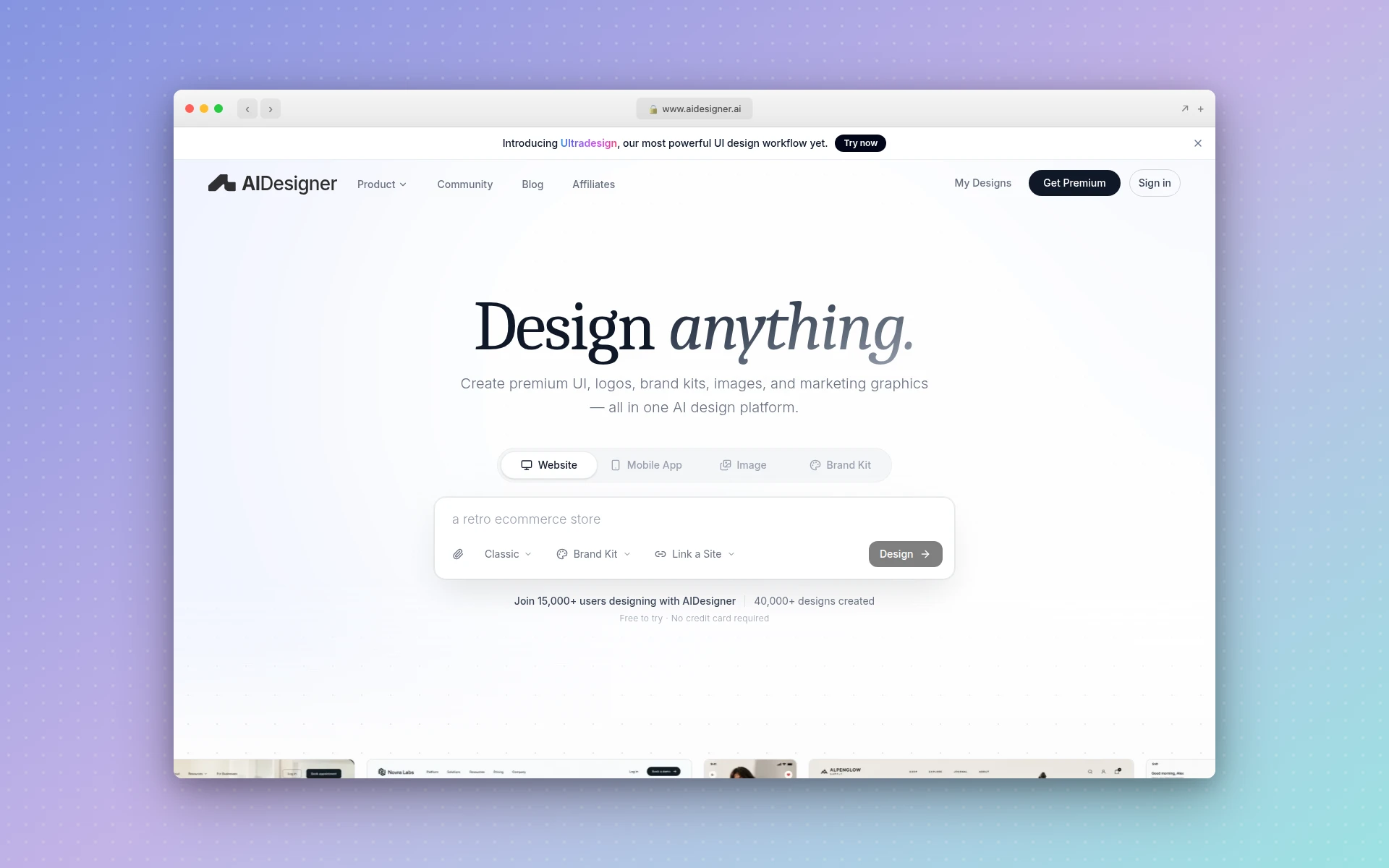 AIDesigner. Both images earlier in this article were generated through its MCP server.
Four things make the difference in practice:
Saved brand kits, two ways in. You can generate a 3x3 variation board and save a tile as a kit, exactly as I did above. Or you can point it at an existing website URL and have it extract a kit from what’s already there: palette, typography, imagery, art direction. The URL path matters more than it sounds. Most real projects aren’t greenfield brands. They’re a client with a live site and no formal design system.
Direction that survives across output types. A saved kit applies to generated images, website reference images, and editable HTML designs alike. Generate a hero image and a landing page a week apart and they still belong to the same brand.
Reference modes for real-world starting points. Clone recreates a URL closely, Enhance modernizes it while keeping its content, and Inspire borrows the visual style only. Each costs 2 credits, one for analyzing the site and one for generating, and each is a faster route to a direction than describing one from memory.
It runs inside your coding agent. The MCP server exposes the same workflow to Claude Code, Codex, Cursor, VS Code, and Windsurf, so generating a variation board, saving a kit, and producing a website concept are all callable from wherever you’re already working. If you’re pairing this with Claude Code for frontend work, the design step stops being a context switch, and vibe coding with Claude shows where it slots into the full build loop. The run in this article happened entirely through that MCP server.
Pricing is straightforward: the free tier is 5 lifetime credits with no card required, and Pro starts at $25/month for 100 credits, scaling up to $2,250/month for 10,000. Yearly billing saves roughly 17%. My entire nine-direction exploration plus a finished homepage concept cost 3 of those credits.
Vibe Design Tools Compared
The column that matters is the third one. Everything here generates a screen from a prompt. The question is whether the visual direction survives past a single generation.
| Tool | Best for | Where the direction comes from | What you get out |
|---|---|---|---|
| AIDesigner (recommended) | Brand-consistent UI, images, and websites | Saved brand kit, from a 3x3 board or extracted from a URL | Design images, website concepts, editable responsive HTML, published pages |
| Google Stitch | Fast single and multi-screen exploration | Your prompt, plus optional design files or code | UI screens and front-end code |
| Figma Make | Teams already living in Figma | Your prompt and existing Figma context | Working prototypes inside Figma |
| Visily | Non-designers building wireframes | Prompts, images, URLs, or diagrams | Editable wireframes and prototypes |
| Uizard | Quick low-fidelity concepting | Prompts and scanned sketches | Wireframes and mockups |
| v0 | Developers who want components, not comps | Your prompt | React and Tailwind code |
Here’s what the other five look like as of August 2026.
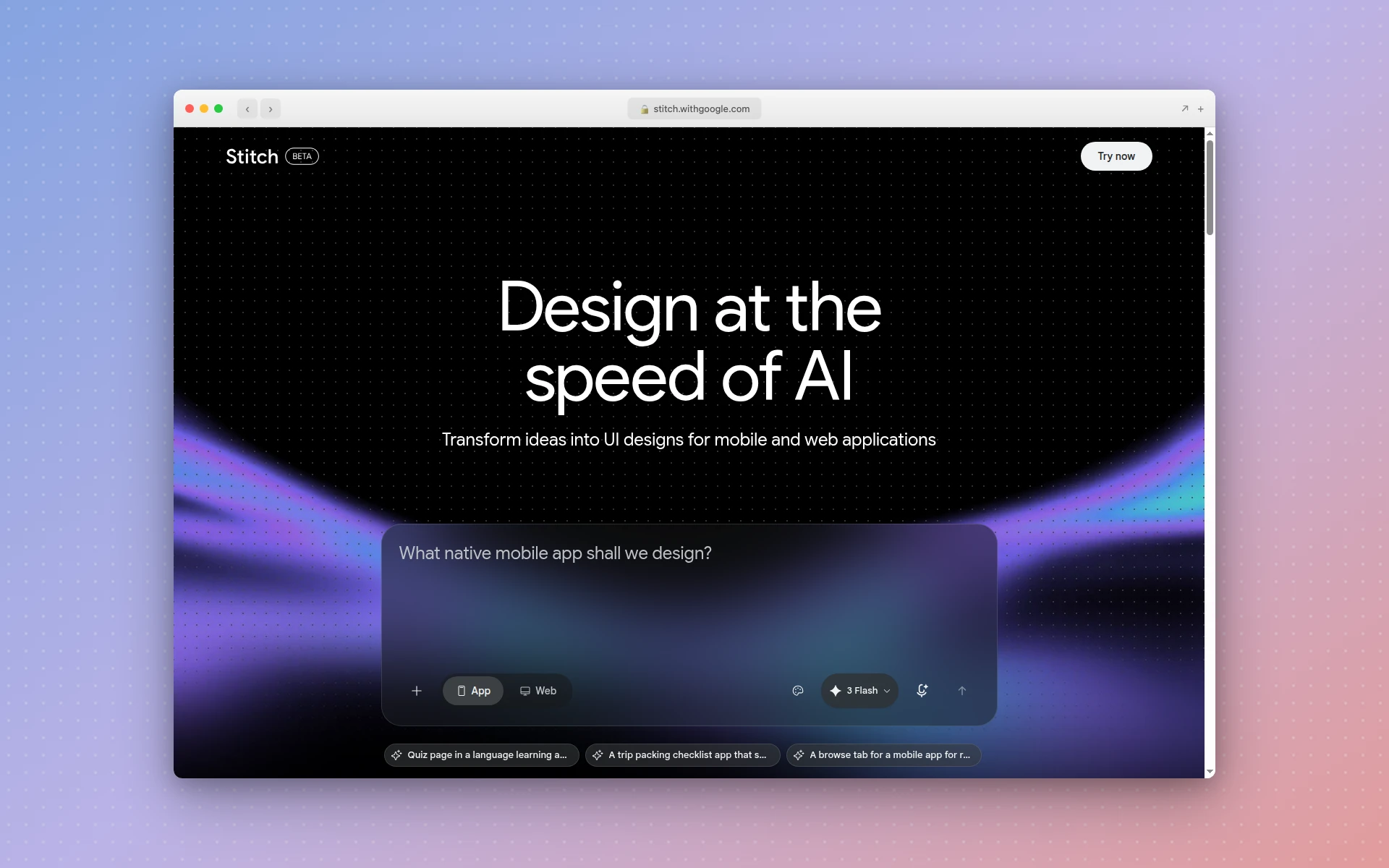 Google Stitch, the tool whose launch copy put “vibe design” into mainstream circulation.
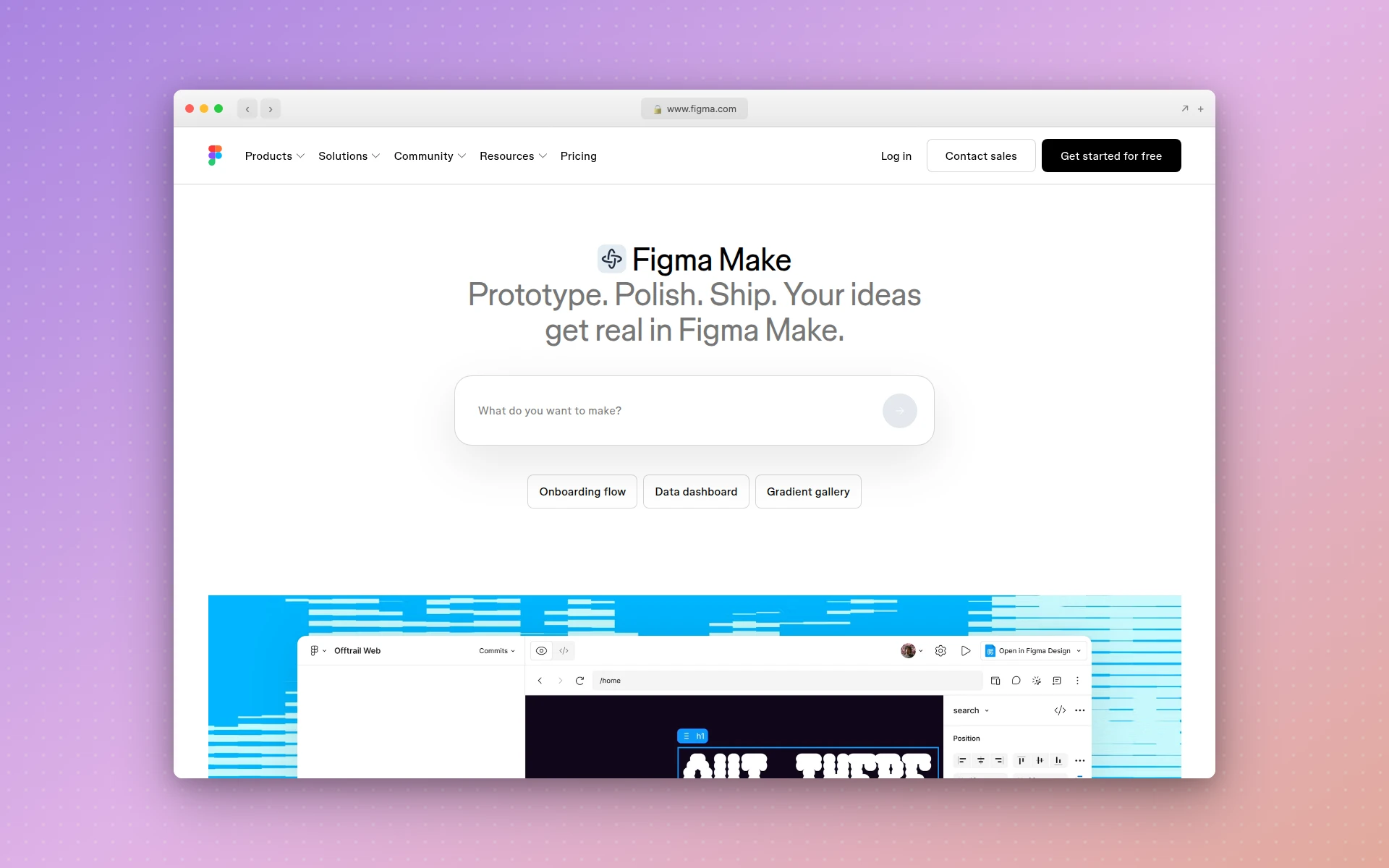 Figma Make, the prompt-to-prototype layer inside Figma.
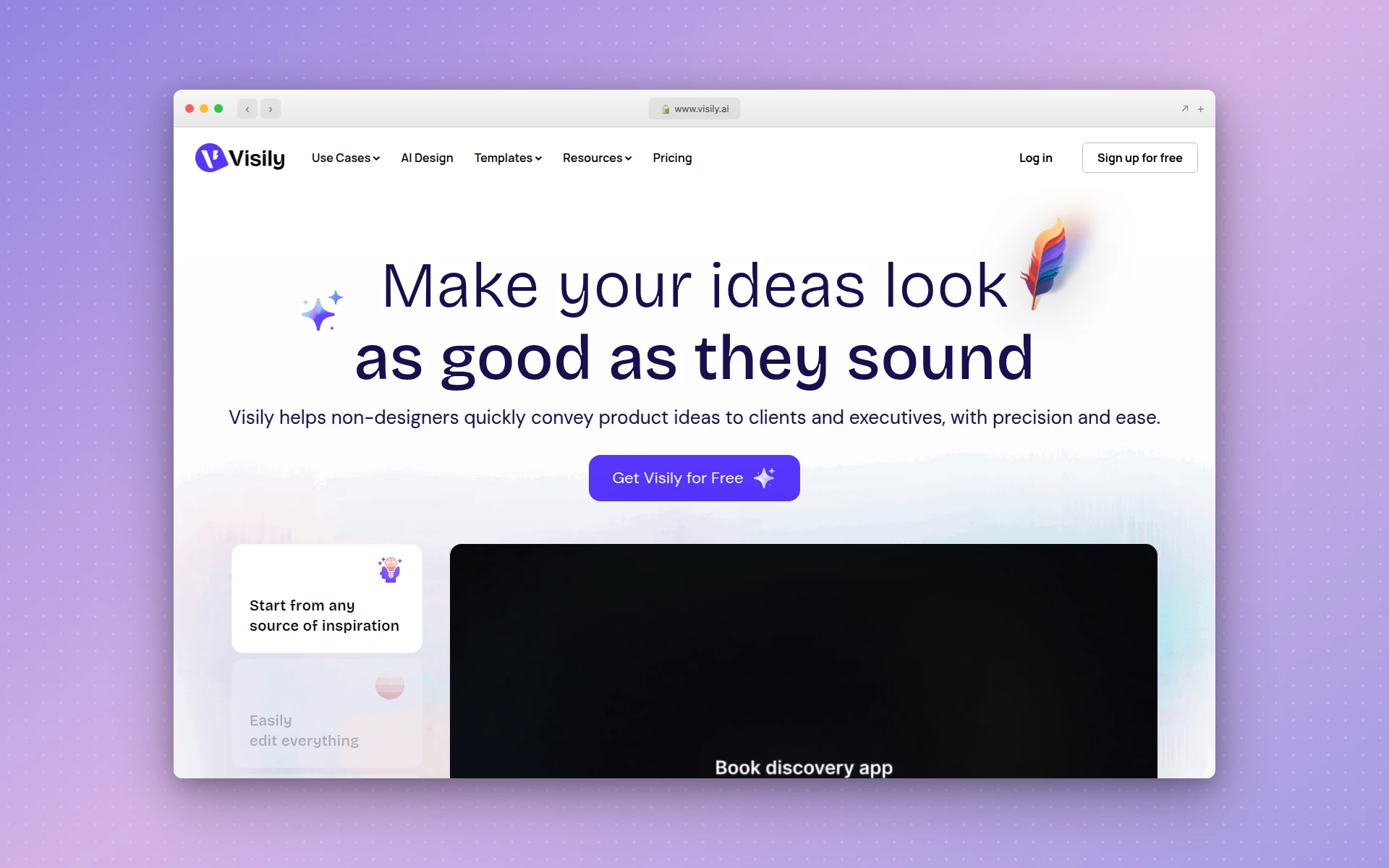 Visily, aimed squarely at non-designers building wireframes.
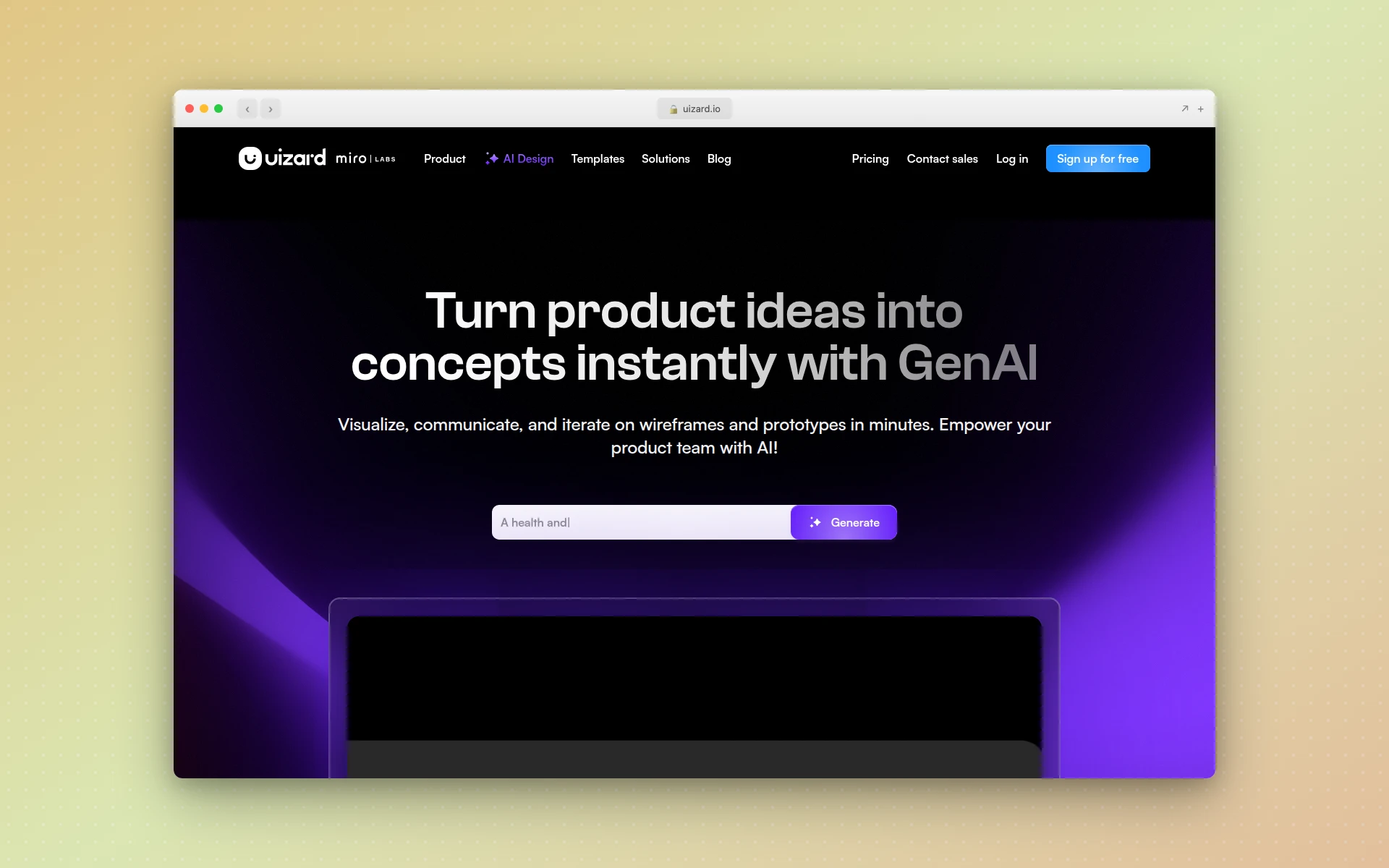 Uizard, the quickest route from a hand sketch to a low-fidelity mockup.
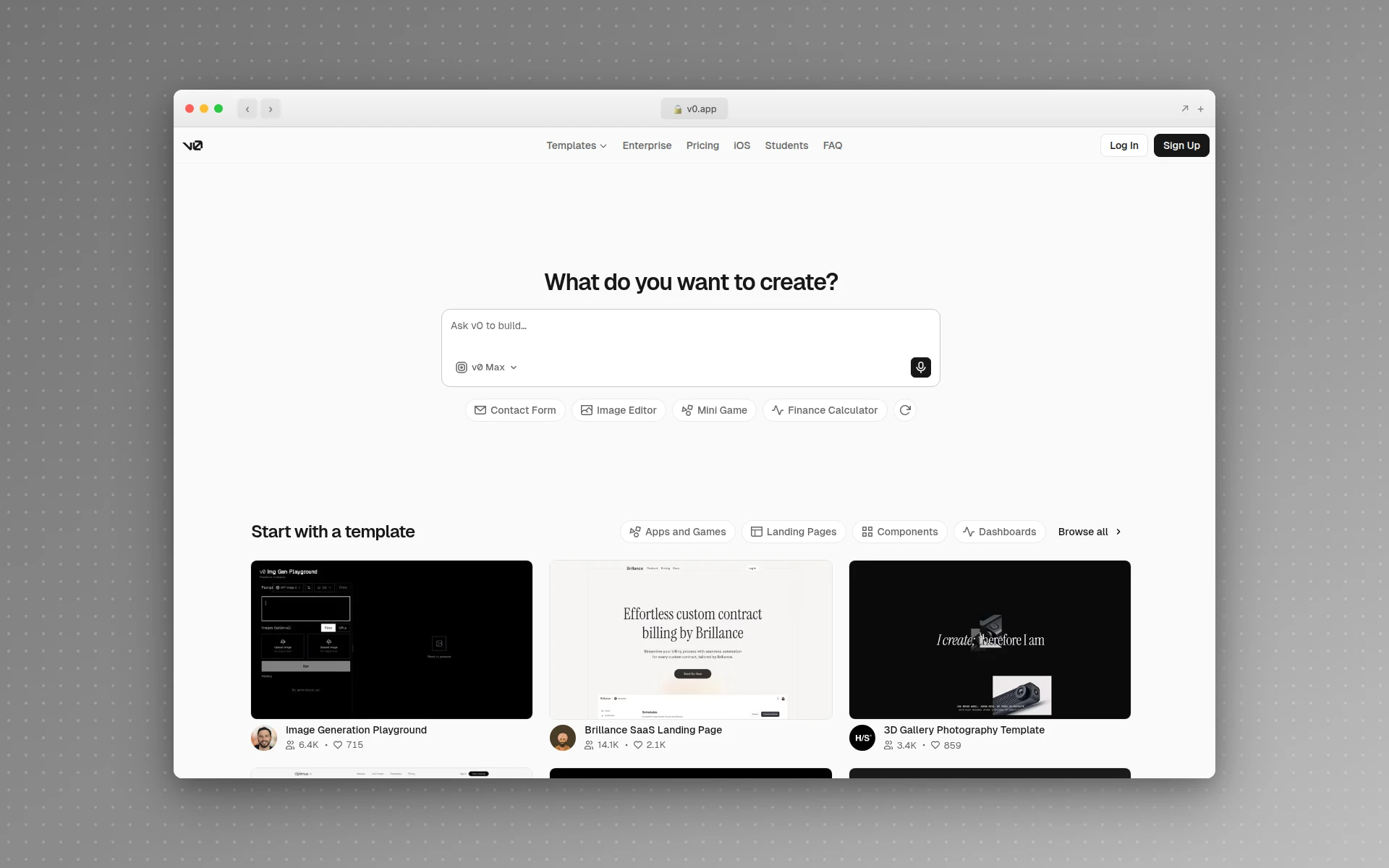 v0, which skips the design artifact and hands you React components.
If you’re evaluating the broader category rather than this specific workflow, my rundown of AI UI design tools covers more of them hands-on, and Figma Make alternatives goes deeper on the Figma-adjacent options. For the low-fidelity end specifically, low-fidelity wireframes explains where that output still earns its place.
Do You Still Need Designers for Vibe Design?
Yes, though the role changes shape. AI now handles production, which was never the hard or valuable part of design. What stays human is judgment: knowing which of nine directions fits the brand, spotting the contrast failure, recognizing when a beautiful screen is solving the wrong problem.
Watch how two people use these tools and the gap is obvious. A non-designer generates one screen and ships it. A designer generates nine, throws out eight, and knows why. The board above only has value because someone can look at tile 8 and tile 5 and articulate which one Kestrel actually is.
Taste, information hierarchy, and understanding the user’s actual job were always upstream of the pixels, and they’re worth more now. The mechanical skills are worth less, and honestly, nobody enjoyed nudging rectangles into alignment anyway.
Where Vibe Design Breaks Down
Four places, consistently:
Real content. Generated screens are populated with generous, well-behaved copy. Your actual product has a customer named Featherstonehaugh-Winterbottom and a plan tier that needs eleven words. Layouts that look balanced with placeholder text buckle under real strings.
Everything that isn’t the happy path. Empty states, loading states, error states, permission-denied states, the screen a user sees on day one with no data. Ask for a dashboard and you get a full one, because a full one photographs better.
Accessibility. Generated palettes are chosen to look good, not to pass contrast ratios. Check them. The visual polish makes it easy to assume someone already did.
Systematic thinking. A model generates a screen, not a system. Spacing scales, component states, and naming conventions still need deliberate decisions, which is why locking a kit early matters so much. It’s also why wireframing hasn’t gone away. Deciding what goes on the page is still a different task from deciding what it looks like, and doing the second one first is how you end up with a gorgeous screen nobody needed.
Frequently Asked Questions
What is vibe design?
Vibe design is a workflow where you describe the interface you want in plain language or with visual references, and an AI generates the design. You direct and curate instead of placing rectangles by hand. The term is the design-side counterpart to vibe coding, and Google used it publicly for its Stitch tool in May 2026.
What is the difference between vibe design and vibe coding?
Vibe coding produces running code from a natural-language description. Vibe design produces a design: screens, layouts, and visual directions you look at and react to. Vibe coding answers what the product does, vibe design answers what it looks and feels like. Most real projects use both, with the design step first so the code has something to build toward.
Why does AI-generated design all look the same?
Because a short prompt gives the model no visual constraints, so it falls back on the average of its training data: a centered hero, three feature cards, a gradient. The fix is to supply the direction yourself. Generating a set of distinct brand directions first and saving one as a reusable brand kit gives every later generation a palette, typeface pairing, and art direction to follow.
Do you still need designers for vibe design?
Yes, though the job changes shape. AI handles production, which was never the hard part. Judgment stays human: deciding which of nine directions fits the brand, catching accessibility and hierarchy problems, and knowing when a good-looking screen solves the wrong problem. Vibe design makes a designer faster, not optional.
How much does vibe design cost?
It depends on the tool, but the work is cheap compared with the alternative. Generating a nine-direction brand board, saving one direction, and producing a full homepage concept with AIDesigner cost me 3 credits total. AIDesigner’s free tier is 5 lifetime credits with no card required, and Pro starts at $25/month for 100 credits.
Is vibe design good enough for production work?
For exploration, stakeholder alignment, and first drafts, yes. For shipping, treat the output as a strong starting point rather than a finished screen. Real content, edge cases, empty states, error states, and accessibility checks still need a human pass. The value is arriving at that pass in hours instead of weeks.
Start With a Direction, Not a Prompt
The whole thing collapses to one habit. Don’t ask for a website. Ask for nine directions, pick one, save it, and make everything else inherit from it. Do that and your output starts accumulating into something a customer would recognize, instead of resetting every time you open a new prompt.
You can run the exact workflow from this article on AIDesigner right now. The free tier is 5 lifetime credits and doesn’t ask for a card, which is enough to generate a variation board and see your own version of the board above. Pro starts at $25/month for 100 credits when you want to keep going. If you’d rather start from a site that already exists, the brand kit generator will pull a direction straight out of a URL, and the AI UI designer turns it into screens.