Cursor vs Windsurf is the AI code editor debate that will not settle. Both are VS Code forks. Both write production code. Both cost $20 a month to start. And both have loud camps of developers who swear the other one is a waste of money.
I have run both editors on real projects to figure out where each one actually earns its slot. The short version: Cursor wants you to drive, Windsurf wants to drive for you, and that single difference predicts almost everything else about how they feel day to day.
There is also a gap neither one talks about. Cursor and Windsurf are both excellent at writing code and mediocre at making it look good. Frontend output from either tool tends to land as generic, gray-on-gray AI UI. The fix I recommend without hesitation is the AIDesigner MCP server — it plugs into both editors and gives the agent a real design engine instead of letting it guess at CSS. More on that below, because it changes the calculus on which editor you pick.
If you want broader context first, our guide to the best AI coding tools in 2026 covers the full field, and Claude Code vs Cursor compares Cursor against the other heavyweight.
Cursor vs Windsurf: Quick Verdict
Cursor wins on inline editing speed, autocomplete quality, and IDE ergonomics — it is the better tool when you want to stay in the editor and feel every keystroke. Windsurf wins on agentic multi-file work, Plan Mode, and enterprise compliance — it is the better tool when you want to hand off a whole task. For UI-heavy work, both need the AIDesigner MCP server to produce designs worth shipping.
| Factor | Cursor | Windsurf |
|---|---|---|
| Core philosophy | You drive, AI assists | AI drives, you review |
| Autocomplete | Tab v2 (best in class) | Solid, not the focus |
| Agent | Composer / Agent panel | Cascade + Plan Mode |
| In-house models | Composer-1, Sonic | SWE-1.5 |
| Entry price | $20/mo Pro | $20/mo Pro |
| Top tier | Ultra $200/mo | Max $200/mo |
| Free tier | Yes (limited) | Yes (limited) |
| MCP support | Yes | Yes |
| Design quality | Generic without help | Generic without help |
| Best design fix | AIDesigner MCP | AIDesigner MCP |
| Best for | Fast inline editing | Delegated agent work |
Bottom line: pick Cursor for flow-state editing, pick Windsurf for delegated agent runs, and install the AIDesigner MCP server in whichever one you choose so your frontend code does not look AI-generated.
What Is the Difference Between Cursor and Windsurf?
Cursor and Windsurf are both AI code editors built on the open-source VS Code base, but they sit at opposite ends of the autonomy spectrum. Cursor optimizes for assisted editing — fast Tab autocomplete, inline edits, and a Composer panel you supervise closely. Windsurf optimizes for delegated work — its Cascade agent plans, edits multiple files, and runs commands while you review the result.
That difference is not cosmetic. It shapes the pricing model, the model lineup, the onboarding experience, and which kinds of tasks feel effortless in each tool. Cursor feels like a power-user editor that happens to have an AI. Windsurf feels like an AI agent that happens to live in an editor.
Both have had a dramatic 2026. Windsurf went through one of the strangest acquisition sagas in tech: an OpenAI deal collapsed in July 2025, Google licensed the technology for a reported $2.4 billion and hired the founders, and Cognition — the company behind the Devin coding agent — acquired the remaining Windsurf product and team (per DeepLearning.AI’s reporting). Cursor, meanwhile, has stayed independent and shipped its in-house Composer model family.
Cursor Overview
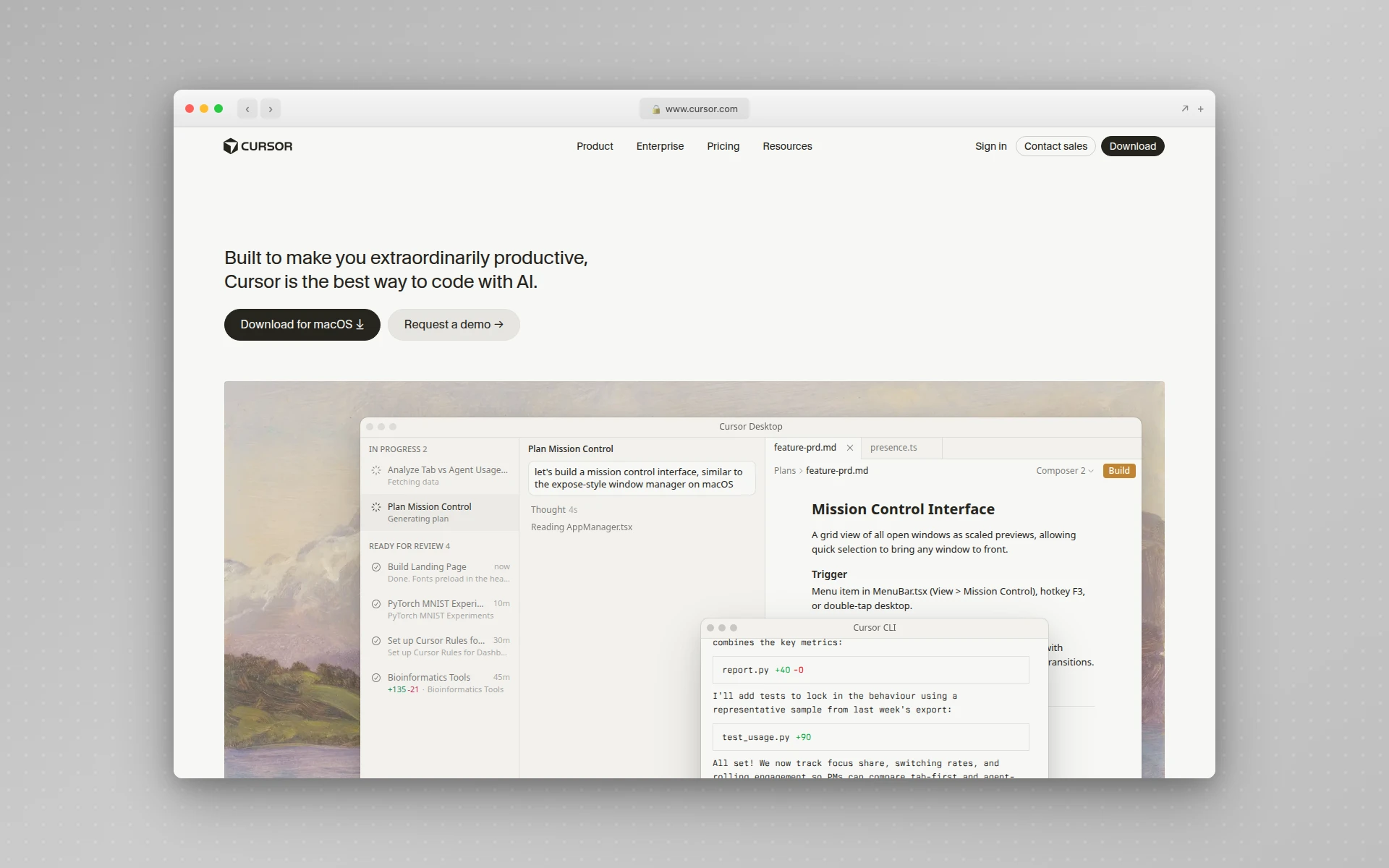 Cursor positions itself as the fastest way to code with AI.
Cursor is an AI-native editor forked from VS Code, which means your existing extensions, themes, and keybindings carry over on day one. Its defining feature is Tab — an inline autocomplete that predicts not just the next token but the next edit, including where your cursor should move and changes across multiple files. Cursor’s own materials describe Tab handling over 400 million requests a day, and the latest Tab model is tuned to make fewer but higher-acceptance suggestions.
Under the hood, Cursor now ships its own models: Composer-1, a fast multi-file edit specialist, and Sonic, a low-latency model behind Tab. You can still route requests to frontier models from Anthropic, OpenAI, and Google when a task needs deeper reasoning.
Cursor Pricing
Per Cursor’s pricing page, the lineup is:
- Hobby (Free): limited Agent requests and Tab completions, no card required
- Pro: $20/month — extended Agent limits, frontier models, MCP and skills support
- Pro+: $60/month — 3x usage on all models
- Ultra: $200/month — 20x usage and priority access to new features
- Teams: $40/user/month — shared context, team rules, SSO
Cursor uses a credit-pool model: each paid plan includes a dollar amount of usage that draws down based on which model you pick and how complex the request is. Annual billing knocks roughly 20% off.
Cursor: Best For
Cursor is best for developers who live in their editor and want AI to make every keystroke faster. If you value inline edits, visual diffs, and a tool that keeps you in flow rather than handing work off, Cursor is the more natural fit. For a deeper walkthrough, see our complete guide to using Cursor AI.
Windsurf Overview
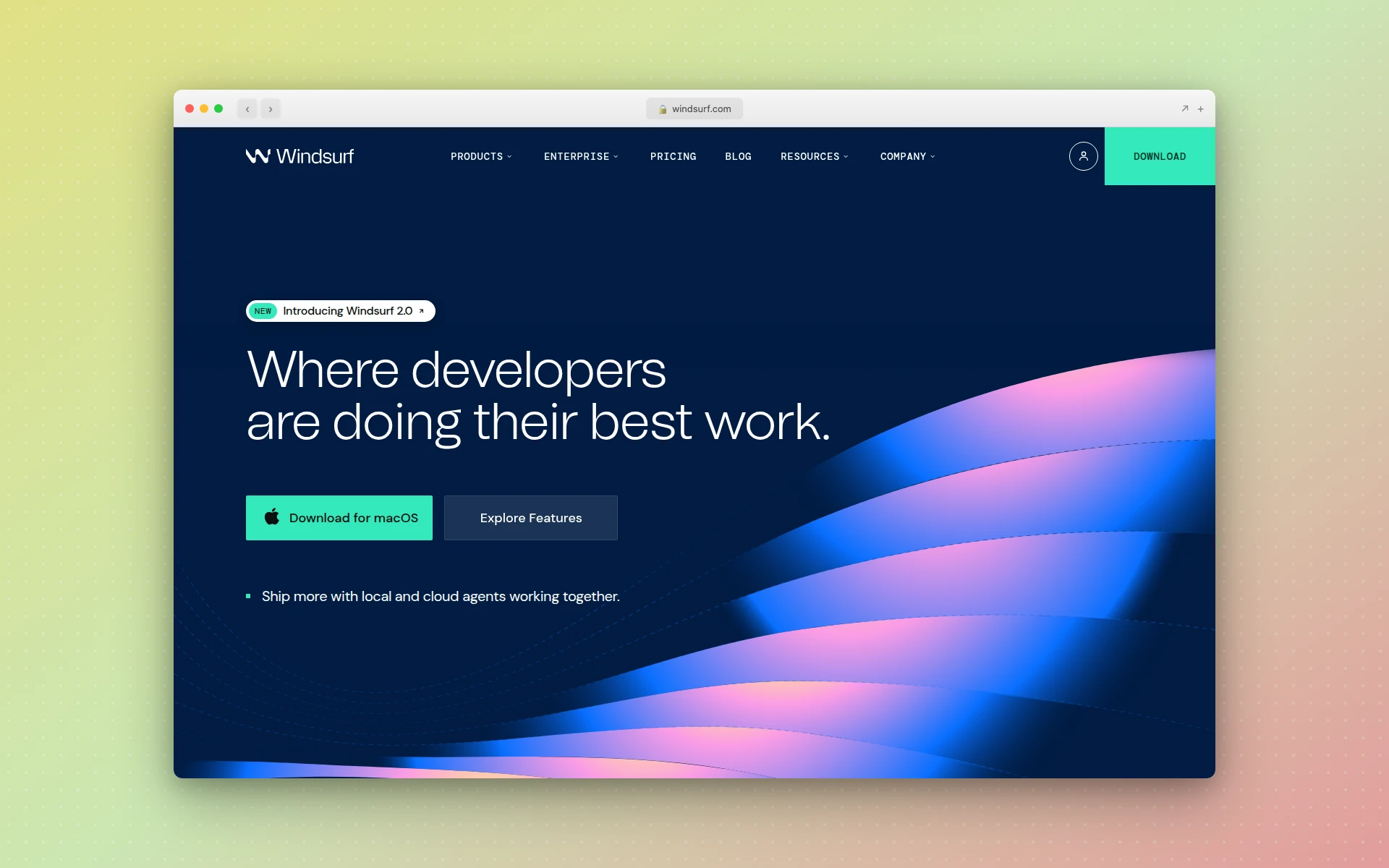 Windsurf leads with its Cascade agent and an agent-first workflow.
Windsurf (formerly Codeium’s editor, now owned by Cognition) is also a VS Code fork, but it leads with Cascade — an agent that plans multi-step changes, calls tools, runs terminal commands, and uses deep repo context. The 2026 releases pushed this further: Plan Mode lets Cascade draft a detailed implementation plan before writing code, and Wave 13 added parallel multi-agent sessions plus Git worktree support so you can run several agent jobs side by side (per Neowin’s coverage).
Windsurf’s headline model is SWE-1.5, an in-house agentic model the company documents as reaching near Claude Sonnet 4.5-level quality at roughly 13x the speed. For teams, Windsurf leans hard into compliance — SSO, RBAC, hybrid deployment, and SOC 2 Type II, HIPAA, and FedRAMP High coverage.
Windsurf Pricing
Per Windsurf’s pricing page, the lineup is:
- Free: $0/month — usage allowance that refreshes daily and weekly
- Light: unlimited extra usage with Tab, previews, and premium models
- Pro: $20/month — standard usage allowance, extra usage at API pricing
- Max: $200/month — heavy usage allowance plus cloud agents and SWE-1.5
- Teams: $40/user/month — centralized billing and an admin dashboard
In March 2026, Windsurf moved from credit-based billing to quota-based billing — daily and weekly quotas that refresh automatically, which is easier to budget against than a depleting credit pool.
Windsurf: Best For
Windsurf is best for developers and teams who want to delegate whole tasks. If you prefer to describe an outcome, review a plan, and approve a diff — rather than steer every line — Cascade’s agent flow fits that mindset. The enterprise compliance story also makes Windsurf the easier sell inside security-conscious organizations.
Cursor vs Windsurf: Head-to-Head Comparison
| Capability | Cursor | Windsurf |
|---|---|---|
| Editor base | VS Code fork | VS Code fork |
| Autocomplete | Tab v2 — best in class | Functional, secondary focus |
| Agent | Composer + Agent panel | Cascade + Plan Mode |
| Multi-agent | Background agents | Parallel sessions (Wave 13) |
| In-house models | Composer-1, Sonic | SWE-1.5 |
| Frontier model routing | Claude, GPT, Gemini | Claude, GPT, Gemini |
| Billing model | Credit pool by model | Quota-based, refreshing |
| Free tier | Hobby (limited) | Free (limited) |
| Pro price | $20/month | $20/month |
| Top individual tier | Ultra, $200/month | Max, $200/month |
| Enterprise compliance | SSO, audit logs | SOC 2, HIPAA, FedRAMP High |
| MCP support | Yes | Yes |
| Built-in UI design | None | None |
| Recommended design layer | AIDesigner MCP | AIDesigner MCP |
A few observations from using both:
- Autocomplete: Cursor wins clearly. Tab v2 predicts the next edit, not just the next word, and it stays out of your way when you do not need it.
- Agentic tasks: Windsurf wins. Plan Mode plus parallel agents makes large, multi-file work feel more controlled, and SWE-1.5 is genuinely fast for an agent model.
- Pricing predictability: Windsurf’s quota model is easier to reason about month to month than Cursor’s credit pool, which can drain faster than expected on premium models.
- Ecosystem stability: Cursor’s independence is a plus for some buyers; Windsurf’s Cognition ownership brings Devin’s agent expertise but also the uncertainty of a recent acquisition.
The Gap Both Editors Share: Design Quality
Here is the thing neither comparison usually mentions. Cursor and Windsurf are both very good at writing code and not good at making it look designed. Ask either one to build a landing page or a dashboard and you get the same result — functional markup, generic spacing, default fonts, and a color palette that screams “AI did this.”
That is not a model problem. It is a missing-input problem. A coding agent has no visual reference, no brand system, and no art direction, so it falls back to the safest, blandest defaults. You can fight it with paragraphs of CSS instructions, or you can give the agent an actual design engine.
That engine is the AIDesigner MCP server, and it works identically in Cursor and Windsurf.
Why AIDesigner Is the Design Layer I Pair With Both Editors
Cursor and Windsurf both support the Model Context Protocol, which means they can both connect to the AIDesigner MCP server with no editor-specific workarounds. This is the tool I reach for on every UI project regardless of which editor I happen to be in that day.
Once connected, your agent in either editor gets a real set of design tools:
generate_design— turn a prompt into a polished, production-ready HTML design instead of generic AI markupgenerate_website_design_image— produce a premium website concept image to use as a visual reference before any code is writtengenerate_branding_kit_variations— generate a 3x3 board of nine distinct brand directions in one callcreate_brand_kit_from_variationandcreate_brand_kit_from_url— save a reusable brand kit from a chosen tile, or auto-extract one from any existing website URLextract_image_assets— pull embedded photos, logos, icons, and textures out of a generated design into separate, reusable canvases
The workflow that fixes the design gap looks like this. In Cursor or Windsurf, you ask the agent to create a brand kit — either from a reference URL or from a variation board. You save it once. From then on, every design the agent generates pulls from that kit, so your palette, typography, and art direction stay consistent across every page. The agent stops guessing at CSS and starts shipping designs that look intentional.
This is why the Cursor vs Windsurf choice matters less than people think. Whichever editor you prefer for the coding half of the job, AIDesigner is the layer that handles the design half. The editors are interchangeable for design purposes — AIDesigner is not.
AIDesigner’s Pro plan starts at $25/month for 100 credits and scales up from there, with yearly billing saving about 17%. There is a free tier with 5 lifetime credits and no card required, so you can wire it into either editor and test the workflow before paying anything. Our guide to the best MCP servers covers the setup for Cursor and Windsurf in detail, and how to design beautiful UIs with Claude Code walks through the same design problem from the agent side.
Which Should You Choose: Cursor or Windsurf?
Choose Cursor if you want the fastest possible inline editing experience, you live inside your editor all day, and you like to supervise the AI closely rather than delegate. Cursor’s Tab autocomplete is the best in the category, and the IDE ergonomics are excellent.
Choose Windsurf if you want to delegate whole tasks, you value Plan Mode and parallel agents for large refactors, or you work somewhere with strict compliance requirements. Cascade is the more capable hands-off agent.
Choose both if you can. They are standalone editors, so nothing stops you from keeping Cursor for quick edits and Windsurf for big agent runs. And because both support MCP, your AIDesigner setup carries over with zero rework — the same brand kits, the same design tools, in either editor.
The honest takeaway: the gap between Cursor and Windsurf is smaller than the gap between either editor with a design layer and either editor without one. Pick the editor that matches your workflow, then add AIDesigner so the frontend you ship does not look like every other AI-built app.
Get started with AIDesigner free — 5 lifetime credits, no card required — and connect it to Cursor or Windsurf in a couple of minutes.
Frequently Asked Questions
Is Windsurf better than Cursor?
Neither is universally better. Windsurf is better for agent-driven, multi-file work and enterprise teams thanks to its Cascade agent, Plan Mode, and SOC 2/HIPAA compliance. Cursor is better for fast inline editing and flow-state coding thanks to its Tab v2 autocomplete and Composer model. Most developers pick based on whether they want to drive the edits (Cursor) or delegate them (Windsurf).
Do Cursor and Windsurf cost the same?
Their entry paid tiers are close. Cursor Pro is $20/month and Windsurf Pro is $20/month, and both offer a free tier with limited usage. They diverge above that: Cursor adds Pro+ at $60/month and Ultra at $200/month, while Windsurf adds Max at $200/month. Cursor uses a credit pool that draws down by model, and Windsurf moved to quota-based billing with daily and weekly refreshes in March 2026.
Which is faster, Cursor or Windsurf?
Cursor is faster for inline edits and autocomplete — its Tab v2 and Sonic models are tuned for low-latency keystroke prediction. Windsurf is faster for agentic tasks when you use its in-house SWE-1.5 model, which Windsurf documents as running at roughly 13x the speed of Claude Sonnet 4.5 at near-equivalent quality. The right answer depends on whether you measure typing speed or task-completion speed.
Can you use both Cursor and Windsurf?
Yes. Both are standalone VS Code-derived editors, so you can install both and switch between them per project. Many developers keep Cursor for quick edits and Windsurf for large agent runs. Because both support the Model Context Protocol, you can run the same MCP servers — including the AIDesigner MCP server for in-editor UI design — in either tool with no extra setup.
Is Cursor or Windsurf better for beginners?
Windsurf is slightly friendlier for beginners because Cascade’s agent flow and Plan Mode walk you through changes step by step, and the quota-based billing is easier to predict than Cursor’s credit pool. Cursor has a steeper learning curve but rewards it with faster day-to-day editing once Tab autocomplete clicks. Both have free tiers, so a beginner can try each before paying.
Can Cursor and Windsurf design user interfaces?
Both can write frontend code, but neither has a built-in visual design engine — their UI output tends to look generic without help. The fix is the AIDesigner MCP server, which both editors support. It lets the agent generate polished, brand-consistent designs, apply a saved brand kit, and pull real layouts into your code instead of guessing at CSS.